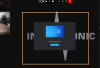
Solved Hide "You are presenting your screen" overlay

Status
Not open for further replies.

MH_INDUS

Free User
Advanced Certified
Joined
Sep 23, 2019
Messages
102
Reaction score
30
Hi all,

we are using Webmeeting conferences with 2 screens whre we share 1 screen and have the webmeeting windows open on the other screen.

Since the update on 13th april we get an additional you are presenting your screen overlay which is really annoying as it is on top of the participants video.

Can this be hidden/removed?

1587627406382.png
 
  • Like
Reactions: Mercuris and giwm
Probably should be in ideas thread, but +1
 
Hi,
I just add it in the ideas section, because I totally agree with you
BR
 
Hi,

sorry, but I cannot follow the request you are looking for?
 
Hello Stefan,

when I created the thread it was still possible to move and resize the position of the videofeeds of other participants. The overlay was in front of the feeds obstructing the view.

I tried to recreate my issue today and now all the videofeeds are locked on the left and are no longer resizeable.

Now our issue is that the feeds are no longer resizeable and moveable.

I attached a screenshot of a Webmeeting and editet an Orange Frame where we would like to have the videofeed of participants positioned.

3CX Webmeeting Overlay2.PNG
 
Hi,

I now understand which area we are talking about. I see your point when in dual monitor setup, for the moment this layout, however, will not be changed to preserve a uniform experience between presenter and consumer of shared content. When we go back to implement the further layout of meetings I will keep your idea in mind.
 
Hello Stefan,

thank you the answer and insight.
 
Status
Not open for further replies.

Forum statistics

Threads
111,973
Messages
590,076
Members
164,895
Latest member
jasonkkrause