- Joined
- Jul 1, 2016
- Messages
- 6,675
- Reaction score
- 2,666


This is just the manual and not the actual script. The actual script will be in the store.that link is outdated based on the current script available on the store, like you dont need to change destinationDN and the wav file doesn't need to be the same name as the holiday name
I believe this is the correct link
https://www.3cx.com/blog/call-flow-scripts/holiday-prompt/
basically:
-add holiday.cs from the store and set it when receiving a call to a trunk (if you have multiple trunks I think you have to add another holiday.cs script and assign the other trunk)
-configure the holiday in the department(s) you need and add the audio file.
-configure the route "when on holiday" of the various destinations assigned to your trunk DIDs to whatever you want to do (End call probably or voicemail or whatever, otherwise the call will follow the normal flow)
If you use the 3CX store script holiday.cs as described: Admin / Integrations / Call Scripts / Add from Store. But I think you know that alreadyHi support
How is the prompt supposed to be triggered here?


20 U4 B487
Hi support
How is the prompt supposed to be triggered here?
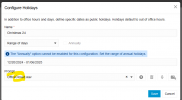
View attachment 45768
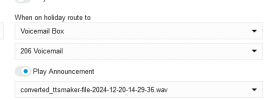
It only plays this
View attachment 45769
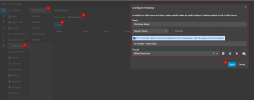
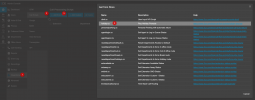
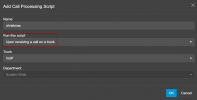
return true; after the .Unwrap(); in the original 3CX holiday.cs line 71 may be a solution: all calls and played audio on holiday for all did on the trunk ends there.No documentation is needed for this. The code is really not very complicated. It's all there.Has anybody found some documentation that could help?

Maybe for a C# dev. For someone random, no it's not easy nor clear.No documentation is needed for this. The code is really not very complicated. It's all there.
Founded in 2005, when VoIP was an emerging technology, 3CX has gone on to establish itself as a global leader in business communications.