Hi there,
Tldr: Please try setting your bitrate at a max of 1,2,3 and 4Mbps and try again. Let us know of the result.
Long reply:
WebRTC
The maximum bitrate ceiling for a meeting is extremely important. I'd suggest not using the 8Mbit bitrate unless you have a 4k Webcam. If you have a 720p or 1080p camera and set your bitrate to 8Mbit you will have problems due to the fact that your camera is only able to utilize 1-4Mbit at most via the VP8 codec.
The WebRTC's algorithms will constantly struggle to bring you up to 8Mbps even though this is not possible which will in turn cause your bitrate to drop and cause quality issues. Even with a local MCU the result will be 100% the same.
WebRTC & VP8-9 codecs unlike H264 or H265 and what you may be used to in other applications like OBS (Open Broadcaster) will not force send whatever bitrate you set it to. In OBS you could likely set your bitrate to 100Mbps and it will likely send 100Mbps even though this is a waste of bandwidth without any real benefit in quality. With WebRTC and VP8-9 it's different, only the required amount of data is sent as per your resolution, framerate and other variables.
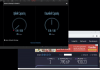
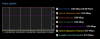
Your Screenshots:
1) In the Video Uplink screenshot you posted, you'll notice that 'Uplink Adaptation Request' says: 0.007. This means someone else in your meeting has requested that you send them only 0.07Mbps as they cannot handle anything more due to whatever reason (Normal Rez Video Cam, Image too static, CPU, Lots of packet loss, NACKS etc).
2) The Uplink Adaptation Threshold (65% of current max bitrate 8Mbps) which is 5.20Mbps means that even if someone requests that you send them a lower bitrate than the 0.07Mbps bitrate like above, this will be ignored as not to completely ruin your image quality for everyone and instead your bitrate is set to 5.20Mbps as the absolute minimum.
3) The fact that your bitrate is now set to 5.20Mbps and you're unable to send this much indicates NACK issues as well as what WebRTC considers to be packet loss due to your inability to satisfy 5.20Mbps of upload.
4) WebRTC now starts to lower your send bitrate even below what you're able to actually send due to these NACK and packet loss issues and hence you're now at 0.03Mbps.
I insist that you try a lower bitrate and verify whether you have better quality.
Cherry on the cake:
A local MCU and more will be available in the near future. That's all i'll be saying on this for now.
Pickle in the Jar:
We're removing the 6 and 8Mbps bitrates from the list as it looks like they are not extremely useful.