I have a customer on the hosted enterprise plan that wants to setup the system using 3 digit extension instead of 4 digit and I don't see any option to change that anywhere.
Changing the extension length is not possible after the PBX has been installed.
This is independent of whether the PBX is hosted or not.
In case you wish to change it, you will have to stop the current installation and install the system again.
All configuration needs to be done from scratch as backups cannot be used due to a mismatching digit length.
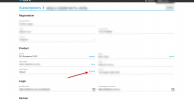
You can stop your instance via your customer portal by selecting your license key and executing the stop operation.
Just click on the Running button next to Hosted. Give it around 2 minutes and the machine will be stopped.
Then you can proceed with the installation.
Note: If you're applying a backup file during deployment, you will not be prompted to select the digit length of your instance as it will take it from the backup file. Nor even if you try to spin up a new blank instance and then use your backup file to restore. The digit length of your instance will be replaced with the one from the backup file.