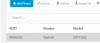
Since the phones are listed in the Hotdesking tab and are listed in the phone tab as well all you need to do is login to the phone as an extension.
You should see the phone provisioned as HDxxxx. Ensure the extension has the right to use hotdesking from it's Option tab and login to the phone using the dial code and the pin number as specified in the guide.