- Joined
- Sep 24, 2021
- Messages
- 12
- Reaction score
- 1
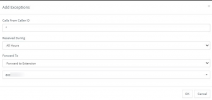
I have an employee who left a month ago. I went into his extension, and for every status like Available, Away, DND, etc I set all the forwarding options to be our main call queue. So, "If I don't' answer calls within X seconds" and "If I am busy or my phone is unregistered" and "After timeout forward external calls to", and so on, all of those options for every status which is what I typically would do in the past.
However, when a person calls in and dials his extension, it just says "Call Transfer Failed."
Can I just delete this extension entirely, and some how create a virtual extension that goes to the queue? When I used asterisk years ago I could do that by adding an IVR option being the 4 digit extension, but 3CX seems to only support 0-9 and * #.
I just need every single call dialed to extension 3191 to be sent to the main call queue.
However, when a person calls in and dials his extension, it just says "Call Transfer Failed."
Can I just delete this extension entirely, and some how create a virtual extension that goes to the queue? When I used asterisk years ago I could do that by adding an IVR option being the 4 digit extension, but 3CX seems to only support 0-9 and * #.
I just need every single call dialed to extension 3191 to be sent to the main call queue.