How is it possible for a user to set there own transfer when the main number is being called

Status
Not open for further replies.

thomas.dejong

Silver Partner
Intermediate Cert.
Joined
Sep 14, 2020
Messages
59
Reaction score
14
We have a doctor's post who will do nightshift.
What we did was just pute them in a group and when their status is green they will be called, all others will have the status on red.

This works fine intill they have 2 new employees that have terrible internet connection at home..
And yesterday they missed an imported call..

Who has the perfect solution ?
( something as in 9 sec app then transfer to there phone number. )

But i need a way that users can manage this on their own without breaking the phone system ( i don't like the idea of giving them admin rights )

Thank you!
 
Hi @thomas.dejong,

Do you mean you want to allow them to set where to transfer calls after x amount of time themselves?

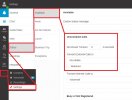
They can do this from the WebClient / Desktop App as shown below. Let me know if that is what you meant.

Untitled.jpg
 
This is user based and this works already.

Now the situation is like this:
a group is getting called.
Groep members get calls

But if everyone is set to not disturb except 1. the calls wil go to that extension.

Problem is.. if that extension is not online the call will fail..
Because the group only does what's written in the group settings. and its not watiching the 9 sec app go tranfer to mobile number.

So what I need is a way for the users to be able to change the system from group to extension.
Or any other work arround.
 
Hi @thomas.dejong,

Thanks for clarifying, I was confused a bit with the initial post.

To do this you can create a dummy extension. Route the Ring Group DNA to the Dummy Extension and have the Dummy Extension's DND route to Mobile number you want.

You'd just need to give all users access to the Dummy Extension's web client to control the Status >> DND >> Forward to External Number option, so they can forward it to their own mobile if they'd like.
 
Yes but this will not allow that the user will ring the 3cx app for 9 sec and then when that fails ( no wifi or what so ever ) to the mobile phone
 
Hi @thomas.dejong,

Yes, if the user isn't registered or not available, it won't ring for 9 seconds, and rightly so because there is no one there to ring.

If they're available then it will ring the 9 seconds before transferring out to the Dummy Extension.
 
Yea, but then we still have the issue how the users them self can switch.

Every day an other employee have the night shift. and the 3cx mobile app is not 100% proof.
ill try to explain it an other way.

Every day from 14:00 till 08:30 they have 1 employee that uses the 3cx app for there call shift.
But if there is a internet breakdown the phone cant connect 3cx..
So i need a way that i can set the status to ring for 9 sec then transfer to mobile number.

Thats easy done.

But now the question. how can a user ( not an admin ) switch the main number from group to 1 extension.
 
Use the Ring my mobile simultaneously setting. But the mobile number is a queue or digitale receptionists number with 9 sec delay and then transfer to the mobile number.
 
Hi @thomas.dejong,

If you wer to set each of the agents in the RG to have a 9s timeout, if they're busy or unregistered then forward to Mobile. In normal circumstances, calls will be collected by members of the RG.

The DNA of the RG can use a CFD that could lookup which extension is set to be the night shift extension each day from somewhere (such as via an HTTP GET, a DB entry etc) and then transfer accordingly to that agent.

If the RG has no agents registered, it will go to DNA and the correct extension's mobile will ring.
If an agent is registered but does not answer, it will ring for 9 seconds then transfer to the specific extension you'd like and ring for 9 seconds before forwarding to their mobile.

This would be the most elegant solution to the problem, what you'd need to investigate is 'how' to allow the agents to set the extension as nightshift so the CFD can retrieve the info.
 
Last edited:
Thank you,

This would be the most elegant solution to the problem, what you'd need to investigate is 'how' to allow the agents to set the extension as nightshift so the CFD can retrieve the info.

this is the whole issue :) i need a way "how to allow the agents to set the extension as night shift"
 
Hi @thomas.dejong,

We have some resident expert CFD users who may be able to help you out. You can find them in the CFD Forum section.
 
  • Like
Reactions: thomas.dejong
this is the whole issue :) i need a way "how to allow the agents to set the extension as night shift"
With the CFD, you decide what that will be. You could even make it an IVR, where an agent could call into the CFD project, and then build the logic that "if the call is coming from a 3 Digit Number (Extension...) prompt the caller to enter the extension number of the "night shift" agent and save in file, else, transfer call to extension number that is currently saved in file".

As my colleague said, we have quite a few partners that are somewhat experts with CFD, so you could ask them for help. I must say though, this is a fairly easy project, so you could try it yourself.
 
  • Like
Reactions: thomas.dejong
That might be the best sollution, ill try it my self and if that does not work then i can always be able to ask for help
 
I encourage you to look at our 3CX On Call Manager tool. Our tool has a web-based calendar where you can set up the on-call schedule. You can set up recurring schedules -- for example, I'm on-call every 3rd week on Monday, Wednesday, and Friday. It is very flexible.

We support both live answer, and fail over to voicemail if nobody is available. If a call hits voicemail, we can send additional notifications by phone, email, and SMS text. You set the number of notification attempts, and you set the escalation policy up to 30 levels of escalation. We can help you!
 
Status
Not open for further replies.

Forum statistics

Threads
111,974
Messages
590,083
Members
164,901
Latest member
Silent_Guru