How to change company/customer name on an instance/license?

Status
Not open for further replies.

JimNX

Customer
Joined
Mar 21, 2021
Messages
27
Reaction score
4
I have a customer who rebranded themselves with a new company name. How can I update the instance or license to reflect their new name?
 
Last edited by a moderator:
  • Like
Reactions: VasilisV_3CX
Hi @JimNX,

Are you wanting to change the name on the license key or the FQDN that they registered with before?
 
Last edited:
Hi @JumNX,

Are you wanting to change the name on the license key or the FQDN that they registered with before?
Hi @VasilisV_3CX ,

I'd like to change the name on the license key. There is a typo in the name, but beyond that, the company changed its name entirely.
 
Hi @JimNX,

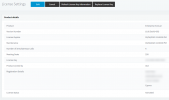
Are you trying to edit a field that you cannot change from your PBX via the License Settings page?

1648737979824.png

If yes, can you send the name of the field you're trying to edit?

Also, again, will the company be changing it's 3CX FQDN? (Their URL to their PBX)
 
@VasilisV_3CX ,

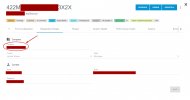
I'm unsure how to access the page you sent in your screenshot, but this is the field I'm needing to change in my screenshot. I need to update the Company Name from what it is now to Elite Wedding Co

The FQDN is not changing.
 

Attachments

  • 2022-03-31 12_04_35-2022-03-31 11_58_32-3CX Customer Portal.jpg
    2022-03-31 12_04_35-2022-03-31 11_58_32-3CX Customer Portal.jpg
    431.9 KB · Views: 71
Hi @JimNX,

In the case of your screenshot, all you need to do is have the person who's email address the license is associated to, log in to their customer portal and they'll be able to edit that field.
 
Status
Not open for further replies.

Forum statistics

Threads
111,974
Messages
590,083
Members
164,900
Latest member
Silent_Guru