How to check log 3CX.My custmer file Recording are Deleted.

Status
Not open for further replies.

Masaki

Titanium Partner
Advanced Certified
Joined
Mar 23, 2020
Messages
60
Reaction score
8
Hi,

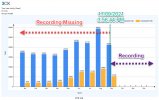
My customer 3cx Version 16.0.8.9 license enterprise Annual. Server On Cloud. OS : Windows Server. I Have question. I can not see file Recording about times at 17-09-2021 3:50 PM (Time zone +7) last recording at 3:56:44 PM. I want to check log about problam, Who can access to del or Who can Purge it. How to check Log 3cx, what about log show at activity log, plz help me.

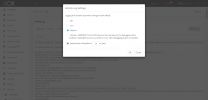
- Activity log set on medium Last Backup 10 days ago.
 
First off, I don't think the logs for the 17th of Sep will be available now, unless of course you keep a backup of logs and that is what you mean by "Last Backup 10 days". Is that what you mean? If yes, make sure to copy the logs away from the log folder as soon as possible to make sure they do not get overwritten.

In the meantime, could you provide more information on the issue? Are you missing all recordings since 17/09, or are you only missing recordings between 3:50PM and 3:56:44 PM for the 17th of Sep?
 
Hi ChrisC_3CX
Thank for reply me.

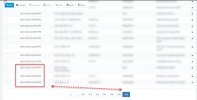
In this information. More Recording Before 17/09 3:56 PM are missing. 01/01 - 17/09 not see, same start recording and save first time at 3:56:44 17/09. how to check before missing recording in log file 3cx?
 
Do you have recordings from before 01/01 too or do you only have recordings from the 17/09 and onwards?

Did you perhaps change anything in regards to recording location or method in which the recordings are saved? (archived, sftp, frp, etc)
 
Now call recording has 17/09/2021 since today.

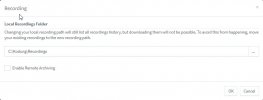
Server on cloud not change path recording. no archive.
 

Attachments

  • 2021-09-27_17-29-40.jpg
    2021-09-27_17-29-40.jpg
    37.3 KB · Views: 11
  • 2021-09-27_17-31-04.jpg
    2021-09-27_17-31-04.jpg
    80.7 KB · Views: 11
  • 2021-09-27_17-37-19.jpg
    2021-09-27_17-37-19.jpg
    98 KB · Views: 10
I see, in that case, what I recommend is the following:

1. Connect to the OS and navigate to the recordings folder (C:\Kodung\Recordings) and manually check for older recordings. Make sure that they are indeed missing from the currently set recording location on the OS level too.

2. Since you're using a custom recording's location, also have a quick look in the default recording location:
Code:
C:\ProgramData\3CX\Instance1\Data\Recordings
Is there anything there?

If you can't find anything and are left with no other choice but to look at the logs, do bear in mind that they might not contain enough information to figure out what happened especially since the verbosity level was set to medium. Also, what you'll be looking for and where to look for it will depend on how the recordings were deleted and from where. That said, it would be useful to know which extensions have such access.

Regarding recovering these recordings, do you happen to have older backups that contain recordings?
 
HI ChrisC_3CX
Thank you for reply and support.

This problem are my customer deploy user Admin Credentials about 4 persons to use. I Don't know, Who Purge Recording in 3cx manage console. in 3CX Version 18 can fix it in Audit log. butcan not check in Version16.

Thank you kub.
 
I'm afraid that, for a 3CX V16 instance, there might not be enough information in the logs to determine who might've performed this action or who might've logged into the Management Console.

I'll PM you for a bit more information on this matter.
 

Attachments

  • 2021-09-29_9-49-27.png
    2021-09-29_9-49-27.png
    115.3 KB · Views: 15
  • 2021-09-29_9-53-46.png
    2021-09-29_9-53-46.png
    17.7 KB · Views: 14
Status
Not open for further replies.

Forum statistics

Threads
111,977
Messages
590,094
Members
164,906
Latest member
Nari