How to configure 3CX server not to blacklist for 30 minutes if wrong password is entered a few times

Status
Not open for further replies.

Readyspace

Joined
Jul 2, 2018
Messages
33
Reaction score
0
Hi, support,

How to configure 3CX server not to blacklist for 30 minutes if wrong password is entered a few times?

The current configuration is inefficient, as we encountered this issue even though we did not enter password wrongly. We want to change the configuration so that there’s no need to wait for 30 minutes to be delisted from blacklist.
 
Just whitelist your IP address
 
Hello

Please let me know from where we whitelist the IP? Once whitelisted id it never blacklists?
 
Within Management Console front page, PBX Status - click on IP Blacklist , then Add - Change action to allow
 
Also if your IP does get blacklisted you can always access the management console from a different IP Address and delete the blacklist entry from the location mentioned by @Saqqara
 
A few years back had a number of local ATAs that would become blacklisted from time to time (never did figure out why). Since I had previously increased the blacklist time to several days, it was quite annoying. I whitelisted the entire local LAN to prevent it from happening again.
 
The current configuration is inefficient, as we encountered this issue even though we did not enter the password wrong. We want to change the configuration so that there’s no need to wait for 30 minutes to be delisted from the blacklist.

I access the 3CX console from various locations that do no use static IP, so it's not possible to whitelist any IP address. Please help me on this.
 
If the IP you attempt registration from is always changing, then 3CX has no way of knowing if you are a legitimate registration attempt, but you happen to put in the wrong password, or, you are a hacker. So, any settings you use to deter hackers are going to affect you as well, if your registration credentials are incorrect. You should be able to set how many incorrect attempts will trigger a lockout for a time period you can select. It is going to be a trade-off.
 
Hello,

Please let me know where I can set "how many attempts...before logout...within what time period" at the 3CX console.

Thank you.
 
Please note that the PBX will not blacklist an IP unless a user or a device has too many failed authentications. That is not limited to the management console username and password. The IP may also be blacklisted because a device coming from the same public IP tries to authenticate to the PBX with wrong credentials.
 
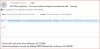
We are trying to setup a 3-party (customer) conference call with 3CX. When we sent out the Invite by 3CX (email), the invited customer receives this (screenshot), but the invited does not know which number to dial (screenshot shows “To join dial…”).


Can you advise what is the setup so that the invited customer knows which number to dial?


We read the conference call setup manual, but don’t seem to find any instructions.
 

Attachments

  • image001 (3).jpg
    image001 (3).jpg
    33.1 KB · Views: 9
Readyspace, please create a new post when you have a different question - this way people see your issue from the thread description and maybe able answer it. If you add a totally different question to an existing post, people may totally miss your new question

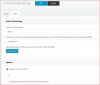
To answer your question - Settings - Conference Settings - Audio Tab - Conference number to display in invite email

Note : you need to setup DDI to the conference extension
 
  • Like
Reactions: YiannisH_3CX
Hi,
The default setting (we didn’t make any changes) is shown below. But what number should our customer call for the conference? Our trunk number (67730100) is now routed to IVR, so we presume we cannot use 67730100.
 

Attachments

  • image001 (4).jpg
    image001 (4).jpg
    27.4 KB · Views: 3
Ideally you need a totally separate number for the conference system, so when people call in there are automatically connected to the system. This would involve getting another number from your telecom provider.
 
You can still use the same number so that people call in and are directed to the conference through a digital receptionist option. Ideally however you would have a dedicated DID for conference calls that points directly to conference.
 
Status
Not open for further replies.

Forum statistics

Threads
111,889
Messages
589,575
Members
164,754
Latest member
Louzan