How to configure SMS on U6

Status
Not open for further replies.

colonial

Gold Partner
Basic Certified
Joined
Jul 8, 2013
Messages
116
Reaction score
26
I cant seem to find where to route the SMS
 
I believe U6 is supposed to give us the ability to route SMS without using an inbound rule ... thats the part I cant find...


Our main number is on the IVR therefore we need an extension to receive the SMS ...

Also I dont see enable sms on my users ext then general tab as shown there...
 
I believe U6 is supposed to give us the ability to route SMS without using an inbound rule ... thats the part I cant find...


Our main number is on the IVR therefore we need an extension to receive the SMS ...

Also I dont see enable sms on my users ext then general tab as shown there...
For assigning users to allow them to use SMS, you will no longer need to do this.

Regarding your question about the IVR, you can direct calls to the IVR and then from the IVR direct SMS to another location.

See this post:https://www.3cx.com/community/threads/split-sms-voice-calls.117924/
 
This is all documented here: https://www.3cx.com/docs/manual/sms-text/

It's routed through a trunk to whichever destination you like to direct the SMS messages to.
I followed this guide to set up SMS and have it routing inbound to a queue and see how, like calls, they can be routed to users as well. I don't see in U6, however, where to assign an outbound SMS DID to users per Step 4 - the option “Enable SMS” in the “General” Tab" doesn't apply since that option isn't listed. Please help.
 
I followed this guide to set up SMS and have it routing inbound to a queue and see how, like calls, they can be routed to users as well. I don't see in U6, however, where to assign an outbound SMS DID to users per Step 4 - the option “Enable SMS” in the “General” Tab" doesn't apply since that option isn't listed. Please help.
As per my previous reply, there is no longer a requirement to set the user to allow them to send SMS.

For inbound routing, though, when setting up a trunk with SMS enabled, you will set the destination to route calls and SMS to a queue, ring group, IVR, or a single extension if you like. SMS messages will then route to whichever destination is set.

If you want to route calls to another destination and SMS to another, set the route to an IVR, then check the link in the previous post on how to direct calls and SMS to different destinations.
 
As per my previous reply, there is no longer a requirement to set the user to allow them to send SMS.

For inbound routing, though, when setting up a trunk with SMS enabled, you will set the destination to route calls and SMS to a queue, ring group, IVR, or a single extension if you like. SMS messages will then route to whichever destination is set.

If you want to route calls to another destination and SMS to another, set the route to an IVR, then check the link in the previous post on how to direct calls and SMS to different destinations.
What if you have multiple SMS numbers and need to set which number the user shows on new SMS outbound messages?
 
  • Like
Reactions: Evolute IT
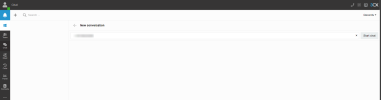
To clarify this, with U6, when sending SMS and do not have a number set under the extension settings and having more than one DID number for SMS, the option is presented upon creation of the SMS message to choose which DID to use, providing the numbers are entered under the SIP trunks DID section.

1670007731890.png


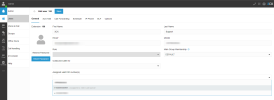
You can though set a valid DID under the user's extensions within the admins webclient to specify which DID to always use for SMS, if preferred, under the 'Assign a valid DID section', as follows:

1670007836950.png

If you have only one number, the main trunk number, for example, and you assign it to a user, then no other user will be able to send an SMS, and the option for SMS will not appear under the other users' chat.

I hope this clarifies this for you.
 
I believe I understand and I also consider it a step backward. We have customers currently using SMS that have groups that use different SMS numbers. Not being able to assign an SMS number as default outbound to multiple users when there are multiple SMS numbers on a system and some users are members of more than one group is going to cause problems for us.
 
  • Like
Reactions: Evolute IT
This is where it gets interesting and where to take advantage of the new grouping capabilities.

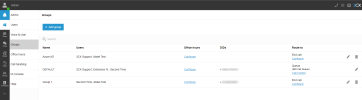
You can assign DIDs to groups and route calls to groups, the group is assigned to its DID for SMS.

So then, if users are members of multiple groups, they will have the option to choose which DID to use to route the SMS from.

1670012479971.png
So, for example, here we have the user Second Time in the Default group and Group1

1670012597481.png
When the user initiates an SMS, they choose which DID to route the SMS from.


1670012823894.png
If a user is only a member of one group, as is the case of the user above, then the SMS will be sent from groups DID automatically.
 
Last edited:
  • Like
Reactions: Evolute IT
Okay, I will dig in a little more and report back. Thank you for the information.
 
  • Like
Reactions: Charles_3CX
Is there an option to bring your own SMS provider ?
 
  • Like
Reactions: Charles_3CX
Status
Not open for further replies.

Forum statistics

Threads
112,067
Messages
590,596
Members
165,021
Latest member
haytham