


- Joined
- Jul 17, 2024
- Messages
- 1
- Reaction score
- 1
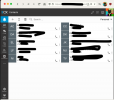
I've been trying to figure out how I need to format a CSV so I can import my contacts; I've found multiple threads suggesting "export your contacts from the management console" to get the proper column names and positions. However, I can't find any UI to actually do that in my management console. The import button is clear and obvious. None of the menus for individual contacts offer any kind of export. I expect I'm just in the wrong menu, or the wrong portion of the menu, but I haven't found anywhere else in the web app that will let me actually do an export. Any guidance is greatly appreciated!
Here's a redacted photo:
Here's a redacted photo:


