


- Joined
- Mar 8, 2019
- Messages
- 1
- Reaction score
- 0
Environment :
3CX Pro 16.0.1581
Snom M700 DECT Bases
Snom M65 Dect Handsets
Extensions located within Hotel bedrooms
Brief/Aim :
To prevent the re-populating of Central Directory from 3CX on handsets, so that guests/public cannot see contacts
History :
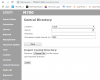
Have been able to manually remove the URL/details of the directory from the web GUI of the M700 (as per https://helpdesk.snom.com/support/s...al-directory-on-snom-m700-and-m300-dect-bases ) i.e. blanked out the Server and Filename under ‘Central Directory’ settings of M700 GUI
This removes access to the directory from the M65 handset
However, after a reboot/reprovision the provisioning file re-populates this information and the directory re-appears
Question :
How can I either manipulate the provisioning file that each extension uses, or apply some form of global setting to prevent directory appearing on a select group of handsets
For info, there are a number of other Snom D120/D715/D785 that require access to the directory and I cannot hide the appearance of these extensions as they need to be present
3CX Pro 16.0.1581
Snom M700 DECT Bases
Snom M65 Dect Handsets
Extensions located within Hotel bedrooms
Brief/Aim :
To prevent the re-populating of Central Directory from 3CX on handsets, so that guests/public cannot see contacts
History :
Have been able to manually remove the URL/details of the directory from the web GUI of the M700 (as per https://helpdesk.snom.com/support/s...al-directory-on-snom-m700-and-m300-dect-bases ) i.e. blanked out the Server and Filename under ‘Central Directory’ settings of M700 GUI
This removes access to the directory from the M65 handset
However, after a reboot/reprovision the provisioning file re-populates this information and the directory re-appears
Question :
How can I either manipulate the provisioning file that each extension uses, or apply some form of global setting to prevent directory appearing on a select group of handsets
For info, there are a number of other Snom D120/D715/D785 that require access to the directory and I cannot hide the appearance of these extensions as they need to be present


