How to quick switch accounts in new app?

Status
Not open for further replies.

Digital-Stewards

Silver Partner
Basic Certified
Joined
Oct 30, 2020
Messages
53
Reaction score
8
Hello,

in old windows desktop app we could easily switch between extensions. How can we do that in the new app?
 
Hi @Digital-Stewards,

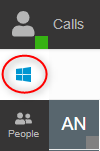
Using the new Desktop App, you'll need to log in to the Web Client and provision the extension by clicking the icon:

1649421065962.png
 
Yes, but that is what a user finds to complicated, too much to do about nothing. They sometimes need to change the status of the extension they use for incoming calls. and then back to their own extension.
This way with the weblogin, they need to keep both Welcome emails at hand so to know the passwords.... as they cannot save them in the browser.
 
Hi @Digital-Stewards,

The Desktop App wasn't made with quick switching in mind, as one extension should be provisioned on one "user", be that a Windows User or other. In your case, you can create a Windows User Accounts for their extension that they need to use, and then another for their own extension.
 
Hi @VasilisV_3CX , so you mean the user should log off and on again with another user on the laptop to use the 2nd 3CX extension?
That is even worse :)
 
Hi @Digital-Stewards,

so you mean the user should log off and on again with another user on the laptop to use the 2nd 3CX extension?
That is even worse :)
No, I do not mean that.

I mean that if you'd like not to use the inbuilt functionality to reprovision another user's extension to the Desktop App, then you can create a second Windows User Account so that when they log out from one and into another, they won't need to go through the first process I described in my first answer.

Easier to just log in to the Web Client and click 2 buttons.
 
Status
Not open for further replies.

Forum statistics

Threads
112,208
Messages
591,286
Members
165,264
Latest member
Tperry-NIS