how to update an SSL Certificate when the CA Authority changes

jabbott@EA

Premier Customer
Joined
May 10, 2023
Messages
14
Reaction score
2
I need to update my SSL Certificate, but the Authority has changed. How do you update the certificate when the CA has changed?

https://www.3cx.com/community/threads/update-renew-certificate.77468/#post-353919>
cd /var/lib/3cxpbx/Bin/nginx/conf/Instance1
chown phonesystem:phonesystem YOURFQDN-crt.pem
chown phonesystem:phonesystem YOURFQDN-key.pem
service nginx restart

CA changed from godaddy secure certificate authority - g2 to godaddy tls intermediate ca dv - r1v1

I have done this multiple times but I have not run into an issue. i believe the reason I am having an issue is that GoDaddy names. I have updated the SSL certifcates on ubuntu boxes and there is a place to update the CA certificate. Let me know if I need to do anything when the CA authority has changed.
 
Solution
Hi there, it’s the same process. All you need to do is ensure that your certificate that you’re uploading has the full certificate chain that includes the intermediate and root certificates from the CA along with the private key file.
 
  • Like
Reactions: KyriacosS_3CX
Solution
Thanks I will try that and let you know.
 
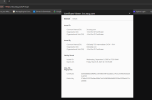
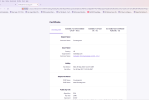
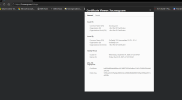
So I tried again. And it works on Edge and Firefox. I get an Error on Chrome. I have attached pictures of the certificate on the three browsers. Below are the commands I run to create the Certificate
.
openssl pkcs12 -in 3cx_2025.pfx -nocerts -out 3cx_2025.key
openssl rsa -in 3cx_2025.key -out 3cx_2025-decrypted.key
openssl pkcs12 -in 3cx_2025.pfx -nokeys -out 3cx_2025.pem -chain


Rename 3cx_2025-decrypted.key to domain_key_3cx.eacg.com.pem
Rename 3cx_2025.pem to domain_cert_3cx.eacg.com.pem

cp domain_cert_3cx.eacg.com.pem /var/lib/3cxpbx/Bin/nginx/conf/Instance1
cp domain_key_3cx.eacg.com.pem /var/lib/3cxpbx/Bin/nginx/conf/Instance1


Please let me know what I am doing wrong.
 

Attachments

  • Screenshot 2026-09-30 201745.png
    Screenshot 2026-09-30 201745.png
    47.6 KB · Views: 5
  • Screenshot 2026-09-30 201831.png
    Screenshot 2026-09-30 201831.png
    115.6 KB · Views: 4
  • Screenshot 2026-09-30 201911.png
    Screenshot 2026-09-30 201911.png
    52.4 KB · Views: 5
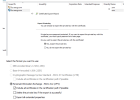
  • Screenshot 2026-10-01 084130.png
    Screenshot 2026-10-01 084130.png
    60.7 KB · Views: 5
Are you trying to create the cert directly on the 3CX system machine? As this isn't something we can suggest, advise on, or support, the certs need to be generated through the CA, and you also need to keep the private key used to generate the new cert.
 
No I generated the CA certificate on a Windows machine when I initially set up the on-premises 3CX server. Why does it work in two browsers but not in Google Chrome? It seems I am getting part way there.
 
Just to clarify, this is a fully paid cert from a known CA, not a self-signed cert, correct? And when you access the system from a non-Chrome browser, the cert shows as updated? If this is the case and you have also included the full chain in the PEM file, intermediate and root certs from the CA, then try clearing the browser cache, as browsers do cache certificates.
 
this is a fully paid cert from a known CA, - Yes. I paid for the SSL certificate through GoDaddy. I then imported the certificate on the Windows machine, which I have done previously.

And when you access the system from a non-Chrome browser, the cert shows as updated? Yes. I tested Microsoft Edge and Firefox last night, and I attached the screenshots in the previous thread.

When i tested in Google Chrome, I used "incognito mode," which I thought there is no cache. So you are saying there is a certificate cache even in "incognito mode". I was thinking the same thing as in "browsers do cache"


I will try again, and I will provide an update.
Thanks for your help.
 
  • Like
Reactions: Charles_3CX
I have seen cases where, if an intermediate cert is not included on the web server, some browsers or PCs may "have" that cert already, and thus consider the cert valid, while others do not and fail to connect. Test your server from a service like https://www.ssllabs.com/ssltest/ to verify the entire cert chain is valid.
 
Check specifically for an incomplete chain or a missing GoDaddy intermediate certificate.
 
I am sorry I am not following where to "Check specifically for an incomplete chain or a missing GoDaddy intermediate certificate."
 
In the SSLLabs test results. It will show a long list of tests.
 
Thanks. Got it.
 

Forum statistics

Threads
112,165
Messages
591,066
Members
165,200
Latest member
jgengler