How to write "[{" in a template?

Status
Not open for further replies.

blzkn

Joined
Jul 27, 2020
Messages
12
Reaction score
1
Good day!

I'm trying to create a template for integration with CRM. The JSON data that i have to sent for logging contains an array of objects, and so i've got combinations [{ and }]. Template generation rules say that i must replace [ with {{. Thus I get {{{ instead of [{ and Template Generation Wizzard tells me "This field should be formatted as JSON". What should I do to make this work? This is what i'm putting in the Expression Builder:

{
"apiKey": "uwEjOBDO558XySr9dumccfJwONGyFlVB",
"calls": {{ {
"date": "[[DateTime].ToString("yyyy-MM-ddTHH:mm:ssZ")]",
"type": "in",

"result": "answered",
"externalId": "148822801", <- here has to be call's id in 3CX, how do I get it?
"code": "[Agent]",
"phone": "[Number]"
} }}
}


The red text i added here, that's my second question. My CRM requires the ID of the call in 3CX. How do i get it?
 
Last edited:
You also need to replate the quotation mark with ^^, as follows:
JSON:
{
^^apiKey^^: ^^uwEjOBDO558XySr9dumccfJwONGyFlVB^^,
^^calls^^: {{ {
^^date^^: ^^[[DateTime].ToString("yyyy-MM-ddTHH:mm:ssZ")]^^,
^^type^^: ^^in^^,
^^result^^: ^^answered^^,
^^externalId^^: ^^148822801^^, <- here has to be call's id in 3CX, how do I get it?
^^code^^: ^^[Agent]^^,
^^phone^^: ^^[Number]^^
} }}
}

That's also explained here:
https://www.3cx.com/docs/server-side-crm-template-xml-description/#h.2oikrv8ncny6

Regarding the Call ID, unfortunately that's not available. Maybe you can use the call date time to generate a unique ID, but you will not be able to match it against the 3CX Call ID.
 
Thank you,
I wasn't really attentive with quotation marks.

As for the Call ID and using date time, what fuctions are available for me to use in this template?

As for the "[{", Template Generation Wizzard still isn't satisfied with my JSON. I'm also not sure how would the interpreter understand which two curly brackets exactly out of three should be replaced with [. So what to do with it?
 
Also, I tested integration without logging (only contact lookup). Is it ok that 3CX doesn't request information about the contact if it is an incoming call?

I mean the situation when there was no outcoming calls to this particular phone number (and so 3CX haven't requested the info from CRM and the contact wasn't created in 3CX), and now there's an incoming call from this number. How do I make 3CX look up the info in CRM for incoming calls also?
 
As for the "[{", Template Generation Wizzard still isn't satisfied with my JSON. I'm also not sure how would the interpreter understand which two curly brackets exactly out of three should be replaced with [. So what to do with it?
Add a space, so they're interpreted as you need. For example:
{{ {

Also, I tested integration without logging (only contact lookup). Is it ok that 3CX doesn't request information about the contact if it is an incoming call?

I mean the situation when there was no outcoming calls to this particular phone number (and so 3CX haven't requested the info from CRM and the contact wasn't created in 3CX), and now there's an incoming call from this number. How do I make 3CX look up the info in CRM for incoming calls also?
If you're testing this with the tool, every contact lookup should be executed against the CRM. When you test this with real calls in a real 3CX installation, there is a cache that will cause that some lookups are skipped when 3CX did another lookup for the same number in the past 10 minutes. Apart from that, the lookup should work for inbound and outbound calls.

It is recommended that you enable verbose logs and check the 3cxSystemService.log for details.
 
Thank you.

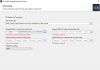
Once i put {{ instead of [ or ^^ instead of ", TGW says that it's not JSON:
1596124735782.png

I simplified the code to avoid additional mistakes, it looks like this and still isn't valid for TGW:
JSON:
{
^^apiKey^^: ^^uwEjOBDO558XySr9dumccfJwONGyFlVB^^,
^^type^^: ^^in^^,
^^result^^: ^^answered^^,
^^externalId^^: ^^148822801^^,
^^code^^: ^^[Agent]^^,
^^phone^^: ^^[Number]^^
}

What am I doing wrong?
 
You're correct, that's because the wizard validates the JSON without considering all these escaping. The only option will be that you specify the JSON without escaping these special characters, and then you edit that once the first version of the template is generated.

The generated template is an XML file. You can edit this with a text editor, or you can use the tool and edit the scenario from there.
 
Great, thanks!

So, where can i look up the fuctions available for use in these templates? Aside from "ToString()" and " get_TotalMinutes()". In my case I want to append phone number to date time to avoid same id situations for two calls at the same time. Also I'd like to know the rules of setting the format for "ToString()".
 
So, where can i look up the fuctions available for use in these templates? Aside from "ToString()" and " get_TotalMinutes()"
You can invoke any C# method...

In my case I want to append phone number to date time to avoid same id situations for two calls at the same time. Also I'd like to know the rules of setting the format for "ToString()".
Just concatenate the expressions, for example:
^^externalId^^: ^^[[CallStartTimeUTC].ToString("yyyyMMddHHmmss")][Number]^^,
 
Thank you, I managed to make it work.

But there's still one thing i can't solve. My CRM returns customer's phone as an array with one object if the phone is the only one. Looks like this:
JSON:
            "phones": [
                {
                    "number": "89692284200"
                }
            ]
In this case the expression "customers.phones.number" (which i use to get the number from the CRM's response) works perfectly.

But if there are several phones for one customer, the response looks like this:
JSON:
            "phones": [
                {
                    "number": "79692284200"
                },
                {
                    "number": "89692284201"
                }
            ]
In this case the same expression fails to get the number.

Is there a way to fix it?
 
The only way would be with filters, but in order to use these filters you need to have something that distinguish the records. For example, if you have the following JSON instead:
JSON:
"phones": [
                {
                    "number": "79692284200",
                    "type": "work"
                },
                {
                    "number": "89692284201",
                    "type": "mobile"
                }
            ]

Then you can use the filters as follows in the XML template when defining the variables:
XML:
        <Variable Name="PhoneBusiness" Path="customers.phones.number">
          <Filter>
            <Rule Type="Equals" Ethalon="work">customers.phones.type</Rule>
          </Filter>
        </Variable>
        <Variable Name="PhoneMobile" Path="customers.phones.number">
          <Filter>
            <Rule Type="Equals" Ethalon="mobile">customers.phones.type</Rule>
          </Filter>
        </Variable>

However, if you can't change the JSON response, unfortunately there's nothing you can do, because 3CX can't identify which value you want in that case.
 
Why doesn't 3CX, in case of not being able to get the phone number from CRM's response, just simply save the very caller's number it sent to CRM to get the info? It looks weird to have the number that was used for searching and the contact's information for this number from CRM and not merge them, isn't it?
 
Last edited:
Why doesn't 3CX, in case of not being able to get the phone number from CRM's response, just simply save the very caller's number it sent to CRM to get the info? It looks weird to have the number that was used for searching and the contact's information for this number from CRM and not merge them, isn't it?
You can do this yourself. Just add an output and set the value to the variable [Number] which contains the number you're looking for. For example:
<Output Type="PhoneBusiness" Value="[Number]"/>
 
Yes, it came to my mind only a few hours ago, thanks for suggesting.

Everything works now. Unfortunatelly only one way. But thanks to Chrome extention it's almost as if the integration were made both ways.

Thank you very much, your answers were very helpful and comprehensive. Have a good day!
 
  • Like
Reactions: edossantos
Status
Not open for further replies.

Forum statistics

Threads
112,326
Messages
591,899
Members
165,479
Latest member
Senergia