- Joined
- Sep 6, 2021
- Messages
- 14
- Reaction score
- 0
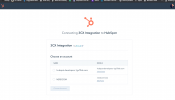
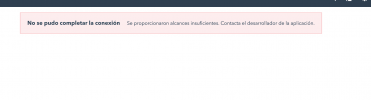
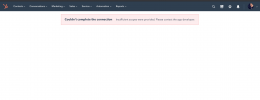
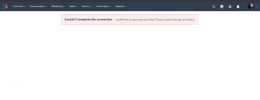
Hello, I have configured as the guide says but when connecting the app it says that I do not have enough permissions, please helpme


Hello @nerdcom,
When you do the authorization and you need to select an account, you need to choose the "normal" Hubspot account, and NOT the "developer" account you created.

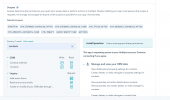
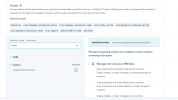
The error in this case is different. It says that your app didn't specify the scopes that are requested by 3CX (contacts and timeline). Please check the configuration guide and follow it to the letter:Hello i select normal account and says the same, check
Hello there,The error in this case is different. It says that your app didn't specify the scopes that are requested by 3CX (contacts and timeline). Please check the configuration guide and follow it to the letter:
https://www.3cx.com/docs/hubspot-pbx-crm-integration/
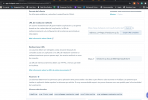
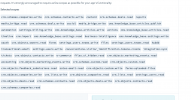
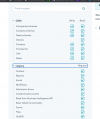
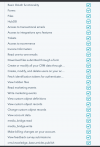
I give you photos of everything like this so you can see.We're aware of some changes related to the scopes taking place in the first week of November. We're planning to adjust the Hubspot template by then to meet the new scopes requirement. However, at the moment we don't see these new scopes in our testing environment, even when creating a new application (just tested this). Are you testing this in an environment having a preview of new features for example?
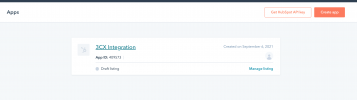
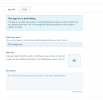
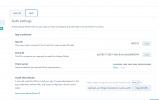
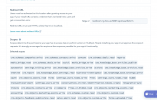
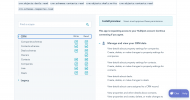
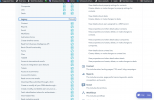
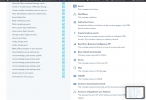
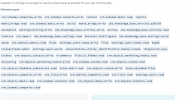
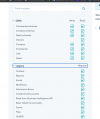
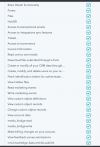
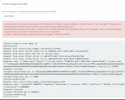
<Parameter Parent="General Configuration" Name="RefreshToken" Type="OAuth" Editor="String" Title="Refresh Token:" RequestUrl="https://app.hubspot.com/oauth/authorize" RequestUrlParameters="response_type=code&client_id=[ClientId]&redirect_uri=[RedirectUri]&state=[State]&scope=contacts timeline" ResponseScenario="OAuthGetRefreshToken" />
Hello check code and no view(attach txt)I understand that you have these new scopes, but we can't see them in our developer account. These were supposed to be available in 2 months.... If your developer account is using some preview of new features, you should disable that, so you can use the old scopes until they're migrated.
Meanwhile, the only option would be that you manually edit the template we provide. If you go to the 3CX Console > Settings > CRM > Hubspot > Show template button, you will see the XML. You can copy this XML to a text file and edit the line 9, which currently has this:
There you need to change the requested scopes "contacts" and "timeline" for the new scopes required to read/write contacts and create engagements. Then you should save the template and upload it as a custom template.
King regardsPlease find attached the modified Hubspot template using the new "granular" scopes. Please give it a try and confirm if this works, as we have no way to test this at the moment (our testing environment doesn't show these new scopes). Your feedback is very important so we can provide this to other customers having the same issue.
Thank you.
Could you run the authorization without issues? Can you test a number lookup from the 3CX Console > Settings > CRM > Test button? Do you see any error there?King regards
complete the process, but the numbers are not created in hubspot when they call the central
how can i fix that
King regardsPlease find attached the modified Hubspot template using the new "granular" scopes. Please give it a try and confirm if this works, as we have no way to test this at the moment (our testing environment doesn't show these new scopes). Your feedback is very important so we can provide this to other customers having the same issue.
Thank you.
Could you run the authorization without issues? Can you test a number lookup from the 3CX Console > Settings > CRM > Test button? Do you see any error there?
Hello, please sendme email,It seems you need to add the scopes for companies as well (not only contacts). Try with the attached template in which I'm also adding the scopes for companies. Sorry about this, but as I said before, we don't have an environment to properly test this.
Founded in 2005, when VoIP was an emerging technology, 3CX has gone on to establish itself as a global leader in business communications.