Hello
@nerdcom,
Thank you very much for providing us a testing environment where we can test the new granular scopes provided by Hubspot.
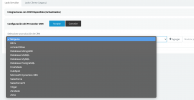
I'm attaching here a custom template that you can use until we release the update for the official Hubspot template. You can upload this template from the 3CX Console > Settings > CRM > Add button. Please note that this is a custom template that will not be updated by 3CX. In November 2021 you should check for the updated official Hubspot template, which will be available in the 3CX Console > Settings > CRM > Available CRM Integrations section. Once this template becomes available, you should switch to it, so you benefit from any update or fix we release.
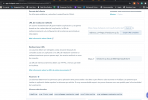
Regarding the configuration of the application in Hubspot, you will need to add the following scopes (I already did this for your account, just mentioning this for other users that might be in the same situation):
We will update the official documentation once we release the template using these scopes.
Please give this a try and let me know if you can make the integration work with this.
Thank you.