I think someone is trying to hack me !

Status
Not open for further replies.

Mohammed Khalaila

Joined
Oct 30, 2018
Messages
20
Reaction score
0
I have been using 3CX for over 4 months now , I'm using the trial license (Still testing and seeing how 3CX works) .

I have been getting a lot of "Too many failed authentications!" events (The IP of the performer does get blacklisted) from like the first month that I started using 3CX, I didn't care that much until what happened yesterday...

I have bought (On the first month of using 3CX - So I have been using the phone with 3CX for more than 4 months) a used IP Phone for the purpose of testing 3CX : Yealink T41P running the latest version downloaded from 3CX this is the only physical IP Phone that I have.
Also the phone is not on the local network of 3CX it's connected remotely , I have 3CX hosted on a normal computer(Private Computer) at a business.

I'm using WorldCall.com for the SIP Trunk (If anyone has any other alternatives that are good and cheap for Israel please comment)

Until yesterday I had my IP phone provisioned by 3CX, Yesterday I wanted to try having two active lines on one IP Phone (Two extensions on one IP phone) The reason for that is the need of changing the Caller ID without the need of going into the web interface of 3CX, So I had to remove my phone from the extension that it was connected to (Let's say the extension number is 1) also disabling the Connectivity using STUN, I reset the phone to factory settings and simply added the account that Connects to the first extensions which is 1 and also add the other account which connects to extension 2 and everything was working fine, Until 5AM this morning I got a very suspicious call from extension 100 which I did not have ! Also it said sipvicious on above the extension number which was really weird !


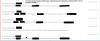
So many things in the logs and in the events that I don't really understand.

What do you think is going on am I getting hacked or is it simply a test made by 3CX?
Could someone please explain what is a Ghost Call ?
If this is an attempt of hacking what can I do to prevent it from happening again or getting worse ?


Version Number 3CX
15.5.15502.6

Yealink T41P Version
Firmware
36.83.0.55
 

Attachments

  • ab2.PNG
    ab2.PNG
    36.5 KB · Views: 43
Probably a Direct SIP call to the set. If you don't see anything in the 3CX Activity Log, for that call, then it didn't pass through the PBX. Having a set, that uses one of the more common local SIP ports (5060, 5061, 5062, etc.) can "attract" these sorts of calls. I assume that sets are using STUN.
You may want to try changing the local ports to something a bit higher. That may reduce the risk of them finding it, and attempting a call.

https://www.3cx.com/community/threads/yealink-ghost-calls.57555/
 
Probably a Direct SIP call to the set. If you don't see anything in the 3CX Activity Log, for that call, then it didn't pass through the PBX. Having a set, that uses one of the more common local SIP ports (5060, 5061, 5062, etc.) can "attract" these sorts of calls. I assume that sets are using STUN.
You may want to try changing the local ports to something a bit higher. That may reduce the risk of them finding it, and attempting a call.

https://www.3cx.com/community/threads/yealink-ghost-calls.57555/

So simply changing the SIP port that 3CX server uses will prevent these problems ?

Also what other security layers can I add ?

Should I use STUN to connect or is it OK to connect directly using the IP or a domain line (No-ip)??
 
Last edited:
Probably a Direct SIP call to the set. If you don't see anything in the 3CX Activity Log, for that call, then it didn't pass through the PBX. Having a set, that uses one of the more common local SIP ports (5060, 5061, 5062, etc.) can "attract" these sorts of calls. I assume that sets are using STUN.
You may want to try changing the local ports to something a bit higher. That may reduce the risk of them finding it, and attempting a call.

https://www.3cx.com/community/threads/yealink-ghost-calls.57555/

It seems like I can't change the SIP port that the 3CX PBX when I go into settings and then network then ports I can see the SIP port in a textbox but it's disabled and I can't change it ...
 
It would be the local SIP port, on the set itself, the one that it "tells" the PBX to use to contact it, in the registration. Only used one Yealink set, that had a GUI, so I'm not familiar with how easy it is to make that change on a T41p.
 
It would be the local SIP port, on the set itself, the one that it "tells" the PBX to use to contact it, in the registration. Only used one Yealink set, that had a GUI, so I'm not familiar with how easy it is to make that change on a T41p.


you got me me really confused there.

I thought I should only change the port that the PBX (3CX) uses for the SIP.
 
I'm sure that hackers will be scanning for that port as well. When they find it, any hack attempt will result in their IP being populated into the blacklist.

Some sets also have a setting so that they reject any Invite not from the server that is datafilled.
 
I just got called multiple times from extensions that do not exist again !

this time not on my IP Phone (Physical Phone) it was on my 3CX Client (on an IOS device) !!!!

I remember extensions such as 367,368....,1000....
What do I need to do to stop this ?
 
I found this in the activity log :

10/30/2018 7:58:14 PM - There's another STUN server that resolves to the same IP: 151.80.125.93:3478/UDP fk=0; ignored
10/30/2018 7:18:13 PM - There's another STUN server that resolves to the same IP: 151.80.125.93:3478/UDP fk=0; ignored

What is this exactly ?
 
i just found this in the activity log
10/30/2018 10:21:42 PM - Failed to add outbound CID reformating rule for DN:10000: <Rules />
10/30/2018 10:21:42 PM - Line 10000 has been updated from DB
10/30/2018 10:21:42 PM - Set log verbosity to MaxLevel = 2, Severity mask = 7
10/30/2018 10:39:42 PM - [EC100009]: External application [user-PC:0/3CXexthost] i0/30/2018
10/30/2018 10:39:50 PM - [EC100002] Connection with media server is lost
10/30/2018 10:21:42 PM - Loading Contact records from database


"10/30/2018 10:21:42 PM - Loading Contact records from database"

Does this mean that contacts has been exported or by other means stolen !!!!!!!!!!!!! ?!

if yes then tomorrow morning I will be fired from my job ! I seriously need help !
 
I just got this even after changing the external ports both 5060 5061 , I had the PBX shut down so I can stop these calls

just need to make sure what does the activity log mean ?!

the Contacts has some seriously sensitive information !!
Please someone help.
 

Attachments

  • unnamed.png
    unnamed.png
    352.6 KB · Views: 20
under dashboard > active calls, when this call is coming in, what do you see?
 
under dashboard > active calls, when this call is coming in, what do you see?

Well , I did shutdown the PBX , I didn't check .... can I check using some logs ??
if yes in which logs and what to look for ?
 
Disable sip to sip calls
Close the firewall on port 5060 to all IP's except your Provider and Remote Direct Connect sites.
Mobile devices should be using port 5090.
 
Of the logs, the majority are just "housekeeping" and not a concern.

Not sure about this one unless contact is re-established in a later log.

10/30/2018 10:39:50 PM - [EC100002] Connection with media server is lost
 
Disable sip to sip calls
Close the firewall on port 5060 to all IP's except your Provider and Remote Direct Connect sites.
Mobile devices should be using port 5090.

Disable sip to sip calls
Where and how to disable them ?

Close the firewall on port 5060 to all IP's except your Provider and Remote Direct Connect sites.
On which firewall should do that and how can I do it ?


Mobile devices should be using port 5090.
When I scan the bar-code for automatic provisioning the port in the settings will be 5060


if someone know's the mac address of the IP phone that I have would that cause me any problems ?
 
What about this :

10/30/2018 10:21:42 PM - User-Agent's that is configured to ignore: friendly-scanner,sipsak,smap,Elite 1.0 Brcm Callctrl,sipcli,VaxSIPUserAgent,VaxIPUserAgent,PortSIP,friendly-request,sip-scan,sipvicious,sundayddr,iWar,SIVuS,Gulp,sipv,siparmyknife,Test Agent,eyeBeam release 3006o stamp 17551,SIP Call,PortSIP VoIP,Conaito,Ozeki,Gbomba,MizuPhone,VoIP v11.2.4,VoIP SIP v11.0.0,VoIP v11.1.2,sdfsfsdfsdfdf,Nmap NSE,BaSeL-X,dr.pes,Z 3.14.38765 rv2.8.3,pplsip,sipptk,eyeBeam release 3004t stamp 16741,eyeBeam release 3007n stamp 17816,eyeBeam release 3010n stamp 19039,MGKsip,Z 10.14.38765 rv2.8.3
 
From your previous post...

Where and how to disable them ?

These calls were coming direct to the sets, were they not? In that case, it would be an option in the set. 3CX also as an option to allow Direct SIP Calls, but at this point, there seems to be no reason to change that.


On which firewall should do that and how can I do it ?

It will be done in whatever Firewall you are using. If you don't use a firewall, or router with that capability, then you can't.


When I scan the bar-code for automatic provisioning the port in the settings will be 5060

That is the port that the 3CX PBX uses for "incoming" SIP messages. Android and iOS will use 509 if they are set to use the tunnel. That is not the local port of the SIP device.


if someone know's the mac address of the IP phone that I have would that cause me any problems ?

I have never heard of any concern about this. I'm not certain how that would be of use to someone or how they would get it.
 
  • Like
Reactions: Mohammed Khalaila
I just reinstalled the 3CX
From your previous post...

Where and how to disable them ?

These calls were coming direct to the sets, were they not? In that case, it would be an option in the set. 3CX also as an option to allow Direct SIP Calls, but at this point, there seems to be no reason to change that.


On which firewall should do that and how can I do it ?

It will be done in whatever Firewall you are using. If you don't use a firewall, or router with that capability, then you can't.


When I scan the bar-code for automatic provisioning the port in the settings will be 5060

That is the port that the 3CX PBX uses for "incoming" SIP messages. Android and iOS will use 509 if they are set to use the tunnel. That is not the local port of the SIP device.


if someone know's the mac address of the IP phone that I have would that cause me any problems ?

I have never heard of any concern about this. I'm not certain how that would be of use to someone or how they would get it.

Thank you for the explained response

--------------------------------------------------------------------

I just reinstalled 3CX and changed the HTTPS Port (While installing) to 60000 and checked that there is not other program using this port , but unfortunately I cannot connect to the management console remotely , what is the reason for that ?

I get the message : "**.**.** took too long to respond."

but if I forward the connections from the external port 5001 to the internal port 60000 everything works fine.
 
Status
Not open for further replies.

Forum statistics

Threads
111,900
Messages
589,632
Members
164,765
Latest member
domi