Solved Impossible to provisionning

Status
Not open for further replies.

Nathan90

Joined
Feb 23, 2017
Messages
3
Reaction score
0
Hi everybody,

i have a problem to provisioning my phone Yealink TP19-E2, when i plug on the same LAN but nothing happen on the 3cx server . Did you have idea to resolve this problem ?

PS: i'm sorry , my english not so nice .

Thanks for the help
 
Last edited:
Hi Nathan90,

Do you mean that the phone does not appear on the Phones tab?
Note, PnP is multicast request, so please make sure the multicast requests are allowed to reach the 3CX Server.

Also please check what firmware is the IP phone on, note the minimum firmware version is 53.80.0.130.

Could you try to setup your Yealink through auto provision from phone's web interface?
Setting => Auto Provision => Server URL l http:// IP-PBX:5000/provisioning/%random-folder%/
 
Hi Nathan90,

Do you mean that the phone does not appear on the Phones tab?
Note, PnP is multicast request, so please make sure the multicast requests are allowed to reach the 3CX Server.

Also please check what firmware is the IP phone on, note the minimum firmware version is 53.80.0.130.

Could you try to setup your Yealink through auto provision from phone's web interface?
Setting => Auto Provision => Server URL l http:// IP-PBX:5000/provisioning/%random-folder%/

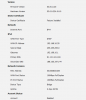
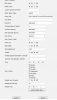
Yes that's it, it does not appear in the menu "Phone tab" and The firmware is up to date .
 

Attachments

  • iùmage.PNG
    iùmage.PNG
    34.3 KB · Views: 7
  • firmaware.PNG
    firmaware.PNG
    18.4 KB · Views: 6
Last edited by a moderator:
Hi Nathan90,

Please change the port from 5001 to 5000 on the provisioning URL. Http needs 5000 port and https the 5001 port.

Also, multicast is communication between a single sender and multiple receivers on a network. This can be achieve through the multicast ip address which is 224.0.1.75.
In order to ensure that your server listens to multicast requests please visit this link https://www.3cx.com/docs/plug-and-play-ip-phone/.
Also IP phones must be factory reset to be able to send multicast. In addition please let us know what version of 3CX Phone system are you on. (Service Pack) Also please let us know if you have any other phone in your LAN that can't be provisioned through PnP.
 
Thank you for you help , my problem is resolve !
 
Nathan - please be sure to post what resolved your issue so it may help others in the future.
 
Status
Not open for further replies.

Forum statistics

Threads
111,856
Messages
589,406
Members
164,694
Latest member
Xavierf