- Joined
- Feb 7, 2019
- Messages
- 40
- Reaction score
- 2
Through our partner portal i have created a 3CX Startup instance and started testing. According to our accountmanager this should work out of the box once a DID and trunk is connected. Test results:
-outbound calling works
-inbound calls end up in a 3CX voicemailbox
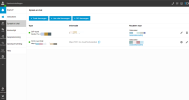
I checked the routing options in the new minimal webclient admin area and tried them all out:
-routing the DID to an extension
-routing the DID to a ringroup
-routing the DID to a queue
All these routes give the same result: When you dial the DID you hear a 3CX voicemail message.
According to our 3CX accountmanager we should contact our SIP trunk provider (only 2 possible parties here in The Netherlands right now with 3CX Startup), so i contacted them. They also created a Startup instance and ran into the same problem, it's not working. They can't create a ticket with 3CX because the ticketsystem rejects the FQDN. So our accountmanager said i should post here.
We were thinking of selling 3CX Startup but it looks like it's not ready to be sold yet?
-outbound calling works
-inbound calls end up in a 3CX voicemailbox
I checked the routing options in the new minimal webclient admin area and tried them all out:
-routing the DID to an extension
-routing the DID to a ringroup
-routing the DID to a queue
All these routes give the same result: When you dial the DID you hear a 3CX voicemail message.
According to our 3CX accountmanager we should contact our SIP trunk provider (only 2 possible parties here in The Netherlands right now with 3CX Startup), so i contacted them. They also created a Startup instance and ran into the same problem, it's not working. They can't create a ticket with 3CX because the ticketsystem rejects the FQDN. So our accountmanager said i should post here.
We were thinking of selling 3CX Startup but it looks like it's not ready to be sold yet?