- Joined
- Jan 19, 2012
- Messages
- 24
- Reaction score
- 0
I'm a bit puzzled. We've been using 3CX (Professional) for years. Recently we moved it to Linux, and now we've upgraded to 16.0.4.504, and I've just noticed that there doesn't seem to be any way to set 'Inbound Rules'. The option is just missing. Has it moved, or has it just magically disappeared from our installation?
Here is the left menu from the 3CX admin console
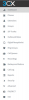
Unless I'm going blind, I can't see an 'Inbound Rules' option.
Is it somewhere else now? I've looked in Settings and on the Dashboard, and I can't see it.
Here is the left menu from the 3CX admin console
Unless I'm going blind, I can't see an 'Inbound Rules' option.
Is it somewhere else now? I've looked in Settings and on the Dashboard, and I can't see it.