Solved Inbound SMS Not Working For Some Users & Outbound Not Working For All Users

Status
Not open for further replies.

nerminat0rrr

Silver Partner
Advanced Certified
Joined
May 31, 2024
Messages
23
Reaction score
1
Provider Telnyx

Most users are able to receive the SMS however some users are not able to. They are in the same inbound rules group & their 3CX Webclient has the queues checked off with the same exact settings with an EXT working.

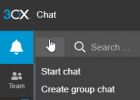
Now with the Outbound Messages I am able to reply to texts however I am unable to create a new text. I do not have an option to create a SMS
1718370930271.png
 
What is the destination of the inbound SMS?
 
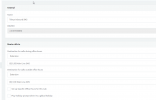
If you don't have SMS option in the user menu, it can be the case that DID number that is used for SMS is either set to the Queue/Ring group that this user is not a member of or directly to another specific user.
 
What is the destination of the inbound SMS?
1718626439847.png
1718626542402.png

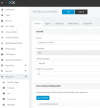
I have a inbound rule that is going through telnyx that goes to the Call Queue Extension with all of the agents that includes some that work and don't work.

Everything in Advanced, Notifications and Click2Talk is unchecked.
 
If you don't have SMS option in the user menu, it can be the case that DID number that is used for SMS is either set to the Queue/Ring group that this user is not a member of or directly to another specific user.
None of the users have that option, does there have to be a separate call queue or ring group? My current call queue works with inbound but not inbound.

Edit - But I do have that option "Send SMS" I just saw it in the web client but when I send a message to a number it just fails.
 
Last edited:
Hi there.
What error did you receive? Is your number is E164 format, eg : +44 123 456 123 ?
 
Looks like it was related to the testing SIP Trunk for Voxtelesys however the issue is still occuring. Do you have any ideas? Ill try checking with Telnyx. But now the inbound sms is not working for anyone :(
 
You need to check the configuration. Also check in the event log for errors related with the SMS.
 
Check the number format and ensure that 3CX System will send out number in E164, and also ensure that all the numbers in your 3CX System are entered in the same way.
 
You need to check the configuration. Also check in the event log for errors related with the SMS.
Why would it be the configuration if nothing was changed though for Inbound? Just dont get why Inbound just stopped working for everyone.
 
You can set 3CX system in verbose logging level and then inspect your 3cxManagementConsole log, and search to see if you see any errors.
Use error as well as sms as keywords.
 
This is not something we can confirm if it has been changed or not.
You need to check the logs in order to identify where is the issue.
 
Ok turned up the logs there are no errors on 3CX side.

Voip.ms confirmed the config is correct on their side.

Outbound is fine but inbound received success from sending client Verizon but nothing in 3CX error logs.

any other suggestions v20 U2 beta?
 
Hope this helps someone, inbound Voip.ms was not working after many tests over an hour and half with Voip.ms supports help.

I decided to test their sms to email setting in the dashboard leaving the webhook also active to see if they were sending out as the tech said all was good on their side.

To my surprise inbound text worked and after unchecking sms to email it continues to work.

Maybe it was coincidence or maybe their "few minutes to save and work" was not working as expected.

Grateful to have this new option in 3CX...

Here is their guide to help until we are out of beta...

https://wiki.voip.ms/article/3CX_Phone_System#Configuring_VoIP.ms_SMS.2FMMS_service_with_your_3CX
 
Glad to know your issue is resolved ;)
 
Status
Not open for further replies.

Forum statistics

Threads
111,992
Messages
590,171
Members
164,931
Latest member
admintest