Incoming Calls Recording Windows Client v16

Status
Not open for further replies.

Rashid Raza

New User
Joined
Aug 20, 2020
Messages
134
Reaction score
23
Hi,

I want to know how to enable Incoming and outgoing calls recordings for 3cx Windows client v16 as currently it showing only Outbound calls.
 
I'm not entirely sure I know what you mean. First off, are you talking about the 3CX Windows App?

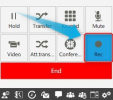
If yes, do you mean the Recording button as seen below:
1629895682447.png


If yes, what do you see exactly, do you mean it is off?
 
Hi,

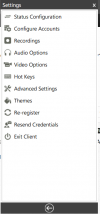
I am asking about the recordings Tab in 3cx Windows Client where we can download and listen to call recording.
In my case it shows only the outbound calls I have made but not the incoming calls.
3cx Rec.PNG
 
I see, in that case we'll need a bit more info:

• Can you see the missing recordings if you access the 3CX Webclient for this extension?
• What PBX version are you running?
• What is the call flow of the incoming calls, do they first go to a Ring Group, IVR, Queue, transferred from another extension, etc?
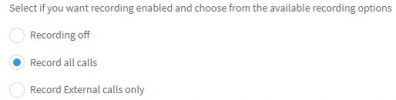
• Is this extension set to record all calls or only external?
1629897908892.png
 
• Can you see the missing recordings if you access the 3CX Web client for this extension?
Yes i can see the missing recordings in the 3CX Web client
• What PBX version are you running?
PBX Version is 16.0.8.9
• What is the call flow of the incoming calls, do they first go to a Ring Group, IVR, Queue, transferred from another extension, etc?
The calls receive/are made directly i.e from ext to ext.
• Is this extension set to record all calls or only external?
Exactly the extension set to record ALL CALLS.
 
The calls receive/are made directly i.e from ext to ext.
I see, I had misunderstood the situation as I thought you were referring to external calls due to the fact that you mentioned incoming and Outgoing.

In that case, this is actually expected in some cases depending on the scenario. This is due to the way the 3CX Windows App works in the background. The 3CX Windows App will only display recordings existing in the extension's recording folder. That said, the extensions that do not appear for you are most probably in the caller's recording folder instead of the callee's(Windows App ext) recording folder. The reason this is, is because the caller also has "Record all calls" enabled so the recording file for that call will be placed in that extension's recording folder instead.
 
@ChrisC_3CX
Is this issue fixed in the V18 WIndows Client?
 
If you are referring to the new 3CX Desktop App then do bear in mind that it should indeed show all recordings as the 3CX Webclient does.
 
That's Great, Will update our 3cx to V18 and let you know if it works.
 
  • Like
Reactions: ChrisC_3CX
Status
Not open for further replies.

Forum statistics

Threads
112,349
Messages
592,027
Members
165,513
Latest member
megalmazan