Incorrect extension rings

Status
Not open for further replies.

mariyah

Free User
Joined
Jan 25, 2022
Messages
14
Reaction score
3
I have a single sip trunk with 10 DID numbers

DID number 23456786452 is configured to ring only extension 153, as can be verified from the export attached here.

Yet, extension 100 rings sometimes (not all the time, but when extension 153 is offline I presume. Now why is this happening. Here is the call log below (names and numbers have been masked)

Code:
02/27/2022 1:23:55 PM    0612345765:Karate Kid (0612345765)    VMail (100)    00:00:09
02/27/2022 1:23:35 PM    0612345765:Karate Kid (0612345765)    Mr Miyaki (100)    Not Answered
02/27/2022 1:23:23 PM    0612345765:Karate Kid (0612345765)    VMail (153)    00:00:12
02/27/2022 1:23:23 PM    0612345765:Karate Kid (0612345765)    Karate Kid (153)    Not Answered

DID config:

PRIORITY,NAME,TYPE,MASK,PORTS,INOFFICE_DEST_TYPE,INOFFICE_DEST_NUMBER,SAME_DEST_AS_INOFFICE,SPECIFIC_HOURS,SPECIFIC_HOURS_TIME,INCLUDE_HOLIDAYS,OUTOFOFFICE_DEST_TYPE,OUTOFOFFICE_DEST_NUMBER,PLAY_HOLIDAY_PROMPT
2,Karate Kid,1,23456786452,[10000],2,153,0,0,,,2,153,0
 

Attachments

Is the DID the exact format the provider sends?

Also, does the extension 153 has a forward configured?
 
Is the DID the exact format the provider sends?

Also, does the extension 153 has a forward configured?
The DID format is usually sent in the 11 digit (international) format. How could I confirm if 3CX is receiving it in a different format? It is possible that the number is sometimes being received in this format 0123456789 (10 digit)
Should I add the number in the Inbound rules in both formats?

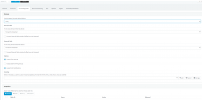
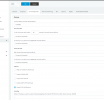
Extension 153 is configured to forward to voicemail only.
 

Attachments

  • 153-2.PNG
    153-2.PNG
    31 KB · Views: 1
  • 153-1.PNG
    153-1.PNG
    28.9 KB · Views: 1
If the number can be different format, put a * in front and then only the important digits. That should help matching.

To be sure, enable Verbose logging (Activity Log > Settings) and make a test call to that DID. In the logs, you should see the inbound DID.
 
  • Like
Reactions: NickD_3CX
If the number can be different format, put a * in front and then only the important digits. That should help matching.

To be sure, enable Verbose logging (Activity Log > Settings) and make a test call to that DID. In the logs, you should see the inbound DID.
Thank you for this. It is extremely informative.
I made a test call, and strangely enough, the 10 digit format was received

Now I have added the * to all the DID numbers under my main trunk.
I will monitor further, but I believe the problem has been identified and fixed.
Thank you again for your time and prompt, helpful advice
 
Status
Not open for further replies.

Members Online Now

Forum statistics

Threads
111,835
Messages
589,289
Members
164,665
Latest member
dominik.pepel