Incorrect Time Zone

Status
Not open for further replies.

amannick

Gold Partner
Joined
Feb 26, 2021
Messages
102
Reaction score
13
Hello Team


I chose EST as time zone and EAST server on AWS LightSail while installing my 3CX Server however my client complaint all his report coming in IST (Indian Standard Time). can any body suggest a possible fix ?


Thanks
 
Hi @amannick,

If you log in to the client's management console and check Settings >> Timezone, Office Hours & Holidays, what is the Timezone for the PBX set to?
 
  • Like
Reactions: amannick
Hi @amannick,

If you log in to the client's management console and check Settings >> Timezone, Office Hours & Holidays, what is the Timezone for the PBX set to?
Hello @VasilisV_3CX

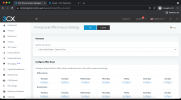
Thank you for prompt response. It shows USA EST. See the attached Screenshot for reference.

1625036592865.png


But all the call logs and reports comes in IST. I personally verified it

Thanks
 
Hi @amannick,

Can you check the system time on the PC that ran the report? What timezone is it set to?
 
Hi @amannick,

Can you check the system time on the PC that ran the report? What timezone is it set to?
Local System time is IST. But they want their report in EST as they work as per EST.


Thanks
 
Right @amannick, there are two ways to resolve this. One is to change the system time in their OS, then run the report and afterwards, change the time back. The report will be generated in the time desired.

If this is too much admin long term, create a VM local to the PBX and remote into it then connect to the management console and run the report.
 
Right @amannick, there are two ways to resolve this. One is to change the system time in their OS, then run the report and afterwards, change the time back. The report will be generated in the time desired.

If this is too much admin long term, create a VM local to the PBX and remote into it then connect to the management console and run the report.


Dear @VasilisV_3CX


Both options are too much to ask. We have installed 3CX on East > Amazon Light Sail so we store everything as per desired timezone. They work in multiple locations and have multiple managers. Asking them to install separate VM or changing a time on their watch is in deed too much to ask.

I thought setting up right timezone on 3CX would do the trick. Please help me with something more relative.


Thanks
 
Hi @amannick,

There is no other option other than using a 3rd party application to have it done. I'll leave this open as maybe one of the software providers can assist you.
 
I thought setting up right timezone on 3CX would do the trick. Please help me with something more relative.
@amannick - I don´t know if this is the customer you had an JEDWare trial for? If so we can extend the trial for a few days, so you could check if the right time is shown in JEDWare. Please let me know the JEDWare CompanyID in a PM, and we can give you the option to check the time.
 
Status
Not open for further replies.