Individual office hours

Status
Not open for further replies.

Aitie

Customer
Joined
Oct 7, 2022
Messages
7
Reaction score
1
Hello,

I'm setting up a 3CX environment where not every user is working the same hours/days but they are in a ring group.
They put themselves as away for the moment if they aren't available.
Is there an option in 3CX where i can set office hours for individual extensions?

Kind regards,
Robin
 
Hello,

I'm setting up a 3CX environment where not every user is working the same hours/days but they are in a ring group.
They put themselves as away for the moment if they aren't available.
Is there an option in 3CX where i can set office hours for individual extensions?

Kind regards,
Robin
Yes you can but it's only used for the "Auto-switch status" feature. If they already use statuses to make them "offline/away", then you don't need to modify the user's hours.
 
Is there an option in 3CX where i can set office hours for individual extensions?

Hi @Aitie,

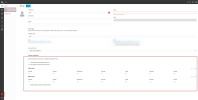
You can set up office hours for each user individually from their WebClient/Desktop App >> Settings >> Status Scheduler >> Enable 'Automatically switch status to available during office hours' and the option to set up specific hours for each user will appear. The users will be switched to Available during Office hours and to Do not Disturb during Out of Office Hours.


In case you want to make changes to other extensions office hours without having to login to each Web Client individually, you can create a new extension or an already existing extension, and give it "Manage all extension"/"Manage extensions in groups you are part of(will be able to manage other extensions of the same group only)" and the "System Administration" rights that will enable the Admin section in the WebClient/Desktop App of that extension and will be able to manage the 'Status Scheduler' configuration of the other users.

With this setup, you will be able to manage the extensions the Status Scheduler configuration and set office hours of other extensions from the WebClient/Desktop App >> Admin(bottom left) >> Users, of the extension's that the abovementioned rights were given.

1665148773289.png

The 'Admin' section in the WebClient/DesktopApp has as a prerequisite that the PBX is on the latest version(18.0.5.418).
 
Yes you can but it's only used for the "Auto-switch status" feature. If they already use statuses to make them "offline/away", then you don't need to modify the user's hours.

Thanks for the answers. that's what i needed.

Would it be possible to have opening hours for an call queue / ring group?
 
Last edited:
Hello @Aitie
Queues and Ring Groups do not have this option. Specific hours can be configured for Inbound Rules but alternatively, you can also create a "dummy extension" with forwarding rule exceptions that point to the Queue or Ring Group for only specific hours and route your calls to that "dummy extension" instead.
 
Status
Not open for further replies.

Forum statistics

Threads
111,974
Messages
590,081
Members
164,899
Latest member
mazet