Inno Media FXS Adapater connected to 3CX?

Status
Not open for further replies.

dkirk-ads

Customer
Joined
May 6, 2019
Messages
74
Reaction score
25
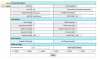
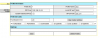
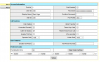
Installation here has a public paging system that used to work under the old local carrier phone system (voIP) using a Inno Media MTA 6328-2Re adapter. It was locked so I had to factory reset it, losing what the previous carrier had configured, sadly. I would like to add this device to our new 3CX installation as an Extension. Below are the only screens involving SIP configuration I can find. The provisioning server name will only accept the ip address, not the full string. Think this is going to be possible? In 3CX I added the 199 extension and was playing with some of the FXS adapters supported, trying to trick something to work, but nothing is working yet. Any suggestions would be most appreciated!!
11315


11316


11317
 
Have you tried changing the Auth ID which is 199 to be the 'Authenication ID' of the extension
 
Good catch, tried it, rebooted the device, nothing changed in 3CX, nothing logged in Activity or Event logs.

MAC Address :
00:10:99:31:78:ad
Firmware Version :
V4.2.66
BBS Version :
V7.3.31
Controller Code Version :
V4.2.66 6328-2Re Wed Feb 11 16:38:37 2009
DSP Code Version :
V2.4.33 08/01 18:30 2007
Last Successful Provisioning :
Last provisioning failed
 
Is the IP blacklisted ?
 
No IPs are blacklisted
 
Have you unchecked Enable Outbound Proxy?
What about User ID as the Authentication ID listed in 3CX
Is ads.com yours (or the customers)? Remove that if it isn't
 
Untick 'Provisioning', as the 3CX does not have any templates for this device. You are manually setting up the device.
 
Provisioning turned back off, Outbound Proxy unchecked and SIP Domain removed, all of those were enabled during various attempts. I like how this looks, and the Auth ID/password is correct for the 3CX extension, but it still won't logon.

11337
 
have you set something in confirm password field? because your screen copy shows blank field

try to set value from auth id , in user id, and let auth id blank , test it ?
 
The Inno Media Device reformats the first password field with a bunch of *s and it blanks out the confirm field after saving. Very strange behavior, but yes, I am copy/pasting the password into both of those fields.

I tried your suggestion of auth_id in the user ID, blanking out auth_id, and still no logon. It shouldn't be this tough, it's almost as if I'm missing something obvious and I'll end up doing a head-smack DOH once figured out. I know later firmware was issued for this old device but I am unable to locate it. As a backup plan I ordered a Grandstream HT801 that appears to be fully supported natively in 3CX, but it won't arrive for a week.
 
The Inno Media Device reformats the first password field with a bunch of *s and it blanks out the confirm field after saving. Very strange behavior, but yes, I am copy/pasting the password into both of those fields.

This is quite common in the ATAs I've used before, they will not display the password. You're not by chance pasting in a space at the beginning, or end of the password, are you? You may not even be aware..
What is the error, in the 3CX Activity Log when a registration attempt is made?
 
Verified no spaces, copied/pasted into/out of Notepad just to be sure nothing hidden in there. The Activity log shows NO activity from the device, it's not even hitting it. Same subnet so that's not the issue, both the 3CX and this device are sitting six feet away from each other. I wonder if leaving that SIP Domain entry blank is stopping something from working within it?
 
You need to figure out why the ATA isn't even reaching 3CX, before you start "playing around" with passwords and Auth ID's. Are there any places where the IP of the server is input, other than the SIP Proxy field, some other page? It should be quite straight forward... IP + port. I have seen some devices, Gigasets come to mind, that require the server IP be put in three places, before it will work
 
Thread closure:

Tried everything possible but the solution evaded me, it would never talk to the 3CX server. The final fix was to purchase a Grandstream HT801 for $20 and it was plug-n-play easy. Had to modify some FXS settings for my application but it was so worth it to have the HT801 work so seamlessly with 3CX. Wasted more than $20 in everyone's time.
 
Status
Not open for further replies.

Forum statistics

Threads
111,931
Messages
589,804
Members
164,803
Latest member
fcentral