Integration with custom web CRM

Status
Not open for further replies.

Sam hijazi

Joined
Aug 28, 2018
Messages
3
Reaction score
0
Hi there,

We have a custom web management solution.
we need that every-time a call is coming in to have it recorded into our system [ just the phone number ]
we don't need anything other than that.

we were able to solve most of the problems we are facing.
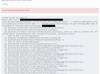
But right now we are getting this error
"Can not connect because the target computer has actively declined the connection"

Error lat.PNG
 
Hello @Sam hijazi,

That's a TCP level connection issue. Your server is not accepting the connection.

Kind regards.
 
  • Like
Reactions: Sam hijazi
Hello, Edossantos
Thank you for the quick reply,
so it's a problem within my website not the server hosting the 3cx system?
 
3CX is trying to establish a TCP connection to your server over HTTPS. And your server is rejecting this connection. It could also be a firewall in the middle. The thing is that the connection can't be established.
 
  • Like
Reactions: Sam hijazi
I personally would not use a socket connection. If your socket is down, you will lose the information. If you don't need it real-time, you can parse the CDR files that are created when the call is disconnected. If you need it real time, and you are using 3CX Phone for Windows, you can use the built-in feature (Advanced --> Behavior) to call a URL and pass the caller ID name and number. If you want to do it server side, you can create a service / daemon to watch for events (using the call control API) but this has the same potential loss of information that the sockets connection has...
 
"you can use the built-in feature (Advanced --> Behavior) to call a URL and pass the caller ID"

Where do i make this option? on each machine or can i do it from the server?

Many thanks for the support.
 
"you can use the built-in feature (Advanced --> Behavior) to call a URL and pass the caller ID"

Where do i make this option? on each machine or can i do it from the server?
That's an option available in the 3CXPhone for Windows client or the 3CX Web Client.
 
As pointed out by Ernesto, to use the built-in feature, this is done on each computer. It can also be used to perform screen pops too. I know you didn't initially ask for that, but it is a super easy option to perform screen pops on the agent's screen.
 
Status
Not open for further replies.

Latest Posts

Forum statistics

Threads
112,323
Messages
591,896
Members
165,474
Latest member
costionofrei