Issue in 3CX CallCenter with 2 sip trunks from different Providers

Status
Not open for further replies.

ahmedsza

Joined
Jan 4, 2015
Messages
17
Reaction score
0
Dears

I have 2 sip trunks from different provider
every trunk with 10 lines
every trunk has one DID numbers and specificy IPs provide from vendor, like the following :

sip one is 9200xxxx with numbers start from 22xxxxx- 559
Device ip 192.168.3.2
Gateway Ip 192.168.3.1
Registrar/Server/Gateway Hostname or IP 94.5.2.1

sip two is 9300xxxx with numbers start from 66xxxx - 239
Device ip 192.168.9.2
Gateway Ip 192.168.9.1
Registrar/Server/Gateway Hostname or IP 10.10.2.51

The server where 3cx pro edition with 16 simultaneous calls installed has 3 NIC card:
first for the local lan
second for first sip
third for the second sip

in 3CX network configuration we use the first sip for External IP Configuration
Static Public IP (IP Address does not change).
if we use the ips for second sip then sip one has only one way audio.
outbound route work perfectly

The Issue;
the trunks is fine except second sip you have to dial twice to 3cx let you login to the queue,
call first time its only ringing with no connect to 3cx system, call again you can log to 3cx callcenter

Any Help on this
 
Last edited by a moderator:
Several notes on your configuration, you may consider:
1. You must have only one default gateway in your configuration, if you are using several NICs. This normally should be done on NIC where you have access to Internet and the phones are located.
2. You must have static rules for traffic to your providers, like: 10.10.2.51/32 via 192.168.9.1 and 94.5.2.1/32 via 192.168.3.1, depending on host OS.
3. You must define these addresses 192.168.9.2 and 192.168.3.2 to be used in SDP in Advanced settings of a trunk.
4. If your provider is using public IP, but you access him via private network, like 94.5.2.1 via 192.168.3.1, you must define address 94.5.2.1 as private in Localsubnets in Parameters settings, otherwise you may experience one-way audio and other issues.

Also normally you speak about SIP trunk with several channels, not lines (SIP trunk is normally understood as a line, not its channels), the quantity of DDI numbers is something different from number of channels.
 
dear eagle2

Thanks for your replay

Here my replay for your options:
1- Done from the start configuration
2- Done from the start configuration
3- Can you please add more info like from where can find "SDP in Advanced settings of a trunk "
4- Where this option "Localsubnets in Parameters settings" and how to configure?

Thanks a lot
 
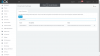
Point 3 - see screen capture in trunk settings | options
Point 4 - see screen capture in settings | parameters

sdp.png lan.png
 
sounds like a routing issue - two gateways on any device is a recipe for disaster. With one-way audio, it sounds like traffic is going out on one route, then trying to come back in on another and is likely being dropped. "Done from the start of configuration" is not a good reason.

If you don't have specific rules to regulate routing when there is more than one available route, you're doing it wrong.

Do your routes have rules like was mentioned above or things will never route predictably.
 
Eagle2
Thanks for you support, i did what you said but still encounter same issue, in sip 2 first call ringing
second call log you to 3cx callcenter.
Note: I add the public IP from both provider without subnetmask only IPs, any issue ?
4a89dc3c6f0aa42.jpg


aberry
Thanks for your replay, i added static route in CMD command, and its okay except the mentioned issue
 
It's not necessary to add 10.10.2.51, it is already included by default (10.0.0.0/8). Try adding 94.5.2.0/24 instead and restart 3CX services.
I suppose you see correct routing by 'route print' MS Windows command prompt command.

If still no success try capturing the traffic and analyze it with Wireshark, otherwise place a ticket to 3CX support, eventually through your 3CX reseller. I have similar configuration with 2 providers via private LANs, one ITSP is 213.226.61.66, other one is 10.102.249.50 and they are working for me under described scheme for several years without any issues. The only difference is I'm still on V14 SP3, but I don't expect issues with V15. It is required to have unique Authentication ID for both trunks (usually one of the numbers), regardless the fact that may be authorized by IP address, not by user name / password.
 
3. You must define these addresses 192.168.9.2 and 192.168.3.2 to be used in SDP in Advanced settings of a trunk.
It is possible that 3CX will not use that address? Instead it may use IP of default NIC?:confused:
 
Status
Not open for further replies.

Members Online Now

Forum statistics

Threads
111,856
Messages
589,406
Members
164,694
Latest member
Xavierf