


- Joined
- Feb 17, 2025
- Messages
- 7
- Reaction score
- 1
Hello everyone,
I recently switched from VitalPBX to try the new 3CX system. However, I am facing an issue with activating the system outside the local network.
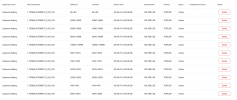
I have installed the system on a dedicated local server and have opened all the necessary ports required by 3CX, as shown in the attached image.
3CX Server local IP is 192.168.1.60.
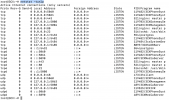
Additionally, I have attached the output of the netstat -tunlp command for reference.
The problem is that I am unable to access the system or activate any extensions from outside the local network.
I also tested accessing my 3CX FQDN, but it does not work from outside the local network. Even when using my public IP address, the system remains inaccessible.
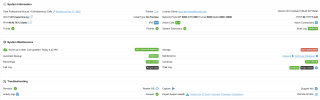
This my System Information :
I would appreciate any insights or suggestions to resolve this issue.
Thank you in advance!
Best regards,
I recently switched from VitalPBX to try the new 3CX system. However, I am facing an issue with activating the system outside the local network.
I have installed the system on a dedicated local server and have opened all the necessary ports required by 3CX, as shown in the attached image.
3CX Server local IP is 192.168.1.60.
Additionally, I have attached the output of the netstat -tunlp command for reference.
The problem is that I am unable to access the system or activate any extensions from outside the local network.
I also tested accessing my 3CX FQDN, but it does not work from outside the local network. Even when using my public IP address, the system remains inaccessible.
This my System Information :
I would appreciate any insights or suggestions to resolve this issue.
Thank you in advance!
Best regards,


