- Joined
- Mar 11, 2025
- Messages
- 3
- Reaction score
- 0
Hello,
We are experiencing an issue logging into our Owner account in the Admin Panel. Before the update, the login link was: https://192.168.x.xx (accessible only from the internal IP). However, after upgrading from version 18 to version 20, the link has changed to https://xxxx.3cx.ro/#/login.
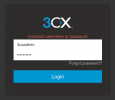
Previously, we used to log in with the "3cxadmin" account on https://192.168.x.xx, which was our Owner account. Now, it seems that we no longer have any functional account with the username "3cxadmin" (attached is a screenshot of the error message).
We also attempted to reset the password using the "Forgot Password" option, but nothing happened, even after entering "3cxadmin" or our email address.
Have you encountered this issue before? Please let us know how it was resolved.
Thank you!
We are experiencing an issue logging into our Owner account in the Admin Panel. Before the update, the login link was: https://192.168.x.xx (accessible only from the internal IP). However, after upgrading from version 18 to version 20, the link has changed to https://xxxx.3cx.ro/#/login.
Previously, we used to log in with the "3cxadmin" account on https://192.168.x.xx, which was our Owner account. Now, it seems that we no longer have any functional account with the username "3cxadmin" (attached is a screenshot of the error message).
We also attempted to reset the password using the "Forgot Password" option, but nothing happened, even after entering "3cxadmin" or our email address.
Have you encountered this issue before? Please let us know how it was resolved.
Thank you!