Issue with bidirectional sync

Status
Not open for further replies.

Rej

Bronze Partner
Basic Certified
Joined
Jan 15, 2024
Messages
31
Reaction score
14
Hi !

Have an instance with ENT licence and intergrated with Zoho CRM. Was working correctly when running under V18. Updated a couple of months back to V20. Customer just figured out that there's no more sync with Zoho CRM. If a customer make an inbound call, it populates the name and when click on the CRM link next to it it brings to the contact page of the customer. But no more calls are logged between 3CX and Zoho, when trying to make an outbound call or outbound SMS, the lookup function to the CRM not working anymore. Even when we try to create a new contact in 3CX and check the CRM box, it doesn't create the contact. I checked and when I make a TEST under the Integration tab, it reply with the customer info.
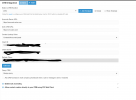
1726771169541.png
 
You will need to enable verbose logs, make some test calls, and check the 3cxSystemService.log file, where you will see all the interactions between 3CX and Zoho.
 
Hi !

Have an instance with ENT licence and intergrated with Zoho CRM. Was working correctly when running under V18. Updated a couple of months back to V20. Customer just figured out that there's no more sync with Zoho CRM. If a customer make an inbound call, it populates the name and when click on the CRM link next to it it brings to the contact page of the customer. But no more calls are logged between 3CX and Zoho, when trying to make an outbound call or outbound SMS, the lookup function to the CRM not working anymore. Even when we try to create a new contact in 3CX and check the CRM box, it doesn't create the contact. I checked and when I make a TEST under the Integration tab, it reply with the customer info.

View attachment 43957
Just seeing this tells me you have a modified version of the template. There should be a section for chat journaling (for SMS.)

You will need to delete the template and redownload it from the Updates section to get the latest version.
 
You will need to enable verbose logs, make some test calls, and check the 3cxSystemService.log file, where you will see all the interactions between 3CX and Zoho.
Nothing in the log when try to lookup through webclient dialer or by trying to send a sms. It was working fine before the last update ... Nothing in the log even if I try to create a new contact and check the "CRM" box
 
Just seeing this tells me you have a modified version of the template. There should be a section for chat journaling (for SMS.)

You will need to delete the template and redownload it from the Updates section to get the latest version.
I lookup everywhere and I can't find out how to redownload the template from the Updates section you told me. Where is it located ? It's a AWS self-hosted instance. Do I need to log into SSH/SFTP to get this file ?
 
Nothing in the log when try to lookup through webclient dialer or by trying to send a sms. It was working fine before the last update ... Nothing in the log even if I try to create a new contact and check the "CRM" box
Do you have verbose logs enabled?

For contact lookup for calls, the logs are in the 3cxSystemService.log file.
For contact lookup for chat / SMS, the logs are in the 3cxManagementConsole.log file.

I lookup everywhere and I can't find out how to redownload the template from the Updates section you told me. Where is it located ? It's a AWS self-hosted instance. Do I need to log into SSH/SFTP to get this file ?
You need to go to Admin > Integration > CRM > Delete your custom template. Then go to Admin > System > Updates, and you should see it listed there. You can download it from there.
 
  • Like
Reactions: Evolute IT
Problem fixed. I deleted the template but didn't find it in the update section. Instead there was a new update for the system so we did the update and new template was fine ! Thanks !
 
Status
Not open for further replies.

Members Online Now

Forum statistics

Threads
111,852
Messages
589,385
Members
164,691
Latest member
Daz1964