Issue with Outbound Caller ID / Multiple trunks on 1 x PBX instance

hlfb

SOHO User
Joined
Oct 1, 2021
Messages
26
Reaction score
2
Hi,

I am struggling to get the right caller ID to come up when a user dials out on a shaed PBX with 2 x trunks, with an outbound rule configured for each.

I undersrtand that the system will go to the outbound rules list first, I have two rules configured each mapped to the right SIP trunk, but all extensions default to the first outbound rule in the list. I have tried creating depaortments and seperating user extensions via this, and adding extension number to the outbound rule in the secondary position, plus adding a number to the Outbound ID in the extension and nothing seems to work.

What am I doing wrong?

I also have one user (myself) that as could receive a call on both trunks with queues configured etc then it should not show my outbound caller ID at all / block it make it private, how would I do that?

Thanks
 
The outbound rules process in order, try moving your default rule to the bottom.
 
  • Like
Reactions: Evolute IT
The outbound rules process in order, try moving your default rule to the bottom.
That works I assumed the other numbers on default would all ring out on the secondary trunk! Thanks

Lastly then, how do I make my extension number private? Show no outbound number?
 
Have not tried but I found:

There is a "Block outbound caller ID" dial code in 3CX but whether it works may depend on the SIP provider, since it doesn't seem to, for me.
 
  • Like
Reactions: Evolute IT
There is a "Block outbound caller ID" dial code in 3CX but whether it works may depend on the SIP provider, since it doesn't seem to, for me.
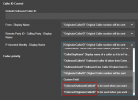
Try using EnforcedCallerId as the option when you want to block caller ID

1744789379229.png
 
  • Like
Reactions: Evolute IT
Thanks, so do this on both SIP trunks? Will this only do it for my extension? I guess the alternative is to create two users and assing one to each department but its a bit of a pig to manage.
 
Since you have two trunks, and are currently selecting one or the other, I assume you are using a prefix. You could create additional rules, for your use only using a new prefix, and customize the outbound caller ID. The rule could be accessible to all, or limited to your extension only.
 
If the goal is to have users from department A always use one rule, and users from department B always use the other, the solution is to configure each outbound rule to require a different department. Then regardless of the order of the rules in the list, only one of the outbound rules will match based on the department the extension belongs.
 
  • Like
Reactions: K_SAK
Hi,

For hiding your number completely, as others mentioned this depends on your SIP provider supporting it, so first check before trying to configure it on your 3CX.

If you just wish to be able to choose which trunk your personal calls are going out from, then it is fairly easy once you get the idea of how the outbound rules work.

https://www.3cx.com/docs/manual/outbound-call-routing/?utm_source=chatbot&utm_medium=referral

In your scenario for example you have extension 101:

Rule 1: For ext 101 and number starting with 20, strip 2 digits, use trunk 2 (when calling a number, add 20 at the start to use the second trunk - use any prefix you want 20 is just example)

Rule 2: For ext 101 use trunk 1 (if you don't start numbers with 20 just use the first trunk)

Rule 3: Department 1 use trunk 1

Rule 4: Department 2 use trunk 2
 

Latest Posts

Forum statistics

Threads
111,962
Messages
589,986
Members
164,867
Latest member
swegner