Solved Issue with screen sharing through a call

Status
Not open for further replies.

DogPettingGuy

New User
Joined
Mar 18, 2021
Messages
3
Reaction score
2
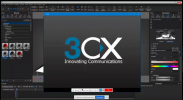
We have a user who is having issues with using the screen sharing function when attempting it through a phone call.

The user will attempt to change the screen that they are sharing but it will immediately switch back to the blank drop down box. Even when you attempt to move through the drop down menu with the arrow keys it will automatically go back to being blank.

The User is using Windows 10 20H2 (ver. 19042).
 

Attachments

  • SCREEN CAPTURE AINT WORKING.PNG
    SCREEN CAPTURE AINT WORKING.PNG
    683.4 KB · Views: 13
Hi @DogPettingGuy,

What version of the Windows Client is your user running? I see that you're screen sharing with Discord as well, have you tried to shut it down to see if it's causing any conflict? Are you running Remote Desktop software when making the call?
 
Hi @VasilisV_3CX

He is running Version 16.3.0.220. Also discord is running from the web client and we've tried it without discord running but to no avail. I am not running remote desktop software although Team Viewer is running in the background for me.
 
Hi @DogPettingGuy,

Can close the Windows client, then you navigate to %appdata%\3CXPhone for Windows\Logs\ and delete the log files.

Reopen the client once more, and this time copy the 3CXPhoneForWindows.log and PM me the link (don't post it here), as it may contain confidential information about your system.
 
For other users looking at this thread the issue was OBS so we uninstalled it and the screen sharing started to work.
 
Status
Not open for further replies.

Forum statistics

Threads
112,025
Messages
590,368
Members
164,978
Latest member
FringeIT-Eric