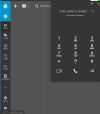
Keep Calls Coming with the New Windows Softphone

@ArneDery Unfortunately this hotkey goes against Microsoft's policies.
i think the function "Copy number from clipboard" is the most important hotkey. A lot of our customers use only these hotkey.
 
Crikey, it's become darn confusing which 3CX Windows app is which these days...
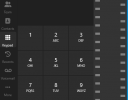
I tried the new Windows app from the store - and I appreciate the improved UI such as the dialler not popping out in a separate window, but I echo the others about the "Panel" tab which is very useful to see all/queue calls.

I've been using the "3CX Desktop App" for a while (maybe this is the Electron version?) which has these options that the new app seems to be missing, as well:
  • option to set status temporarily (i.e. away 30 mins)
  • option to exit the client completely (from the status menu, without right-clicking the system tray icon which is usually hidden)
  • ability to see who your colleagues are talking to in the Team tab (new app just says "on a call")
 
Crikey, it's become darn confusing which 3CX Windows app is which these days...
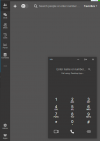
This is v20 App, or Windows Store App:
1712629026065.png

This is v18 Electron app - notice I can move the dialer around
1712629176682.png

This is the PWA - notice dialer is stuck to top corner
1712629262107.png

This is v16 for Windows
1712629315375.png
 
Thanks, it would seem I'm using the Electron app - it's practically perfect except for the annoying pop-out dialler window. That's fixed in the new app, so hopefully the other features I mentioned will be migrated too.
 
@bit101 Thanks for your feedback.

For web based applications, we recommend our users to use the Click2Call browser extension,
 
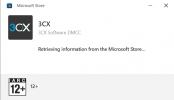
I have downloaded the 3cx installer from the Microsoft store, when i run the installer it just sits on this.

1713854521816.png
 
Are you able to download any other application from the Microsoft store?
 
mmm, actually just downloaded Linked In app and tried to install. Same result.
Its Windows 10 all up to date.
 
So it seems that is not a 3CX-related issue here. Maybe you can contact Microsoft support at this point
 
@Craig Catlow 3CX supports downloading apps only from the Microsoft Store.
I'm assuming what you are doing there is downloading it from apps.microsoft.com.

This was announced by Microsoft a few days ago. Although there are issues with Windows 10. Windows 11 works well from our testing. We also tried other apps [not 3CX] from apps.microsoft.com and also got stuck like you have. So not a 3CX-related issue
 
  • Like
Reactions: mcsvoip
I have installed the new Windows app but i can connect it to the Protocol CALLTO in windows, als the app doesn't open when a call comes in to my Extension..any idea how i can solve both problems?
 
@ThomB_3CX really liking the direction of the new Windows store app! Desk phone integration was huge and much appreciated.

One missing item is the display of the "number type" in search results. Number types in the PWA app are shown in parenthesis (Work), (Mobile), (Home), etc. I'm on 20.0.476.0 now and those are missing. Is that on the roadmap?
 
According to our initial tests, the issue has been resolved in version 20.0.580 of the v20 app! :)
 
  • Like
Reactions: OlegR_3CX
Windows notifications no longer appear when the extension rings.
I've already checked the notification center and the 3CX app is activated.
Anyone else having this problem after the update? :(:(
I saw this too on a client's system. I found that they still had the old Windows app installed as well. Once I un-installed that, notifications started working.

Cheers,
 
  • Like
Reactions: Vali_3CX

Forum statistics

Threads
111,992
Messages
590,171
Members
164,929
Latest member
Cloudstar