Solved Known issues at firmware upgrade Yealink T46S?

Status
Not open for further replies.

mkaeslin

Customer
Advanced Certified
Joined
Jun 20, 2019
Messages
10
Reaction score
1
Are there known issues at firmware upgrade with Yealinks T46S?
My version is 66.83.0.55. I'm trying to upgrade to 66.84.0.95.
In the management console I only see, that it changes nothing after 10min since the upgrad started. While upgrading in the phone directly, I get the message "firmware upgrade failed" and stay on the old firmware.
 
Hello,

It seems you are on a much older version of the firmware currently, so you will have to upgrade step by step.

Firstly, you can try to upgrade one phone manually and see if it accepts the upgrade. If not then try to visit the manufacturers website and download the first 66.84.x.x ROM to upgrade your devices manually.

It is common for manufacturers to require that you install the upgrades step by step so if the version in the phone is too old it will not let you install the latest one directly. Under normal conditions, if you apply your upgrades when we release them then you should be able to move smoothly in the next update without any issues
 
Ok, thank you (et merci bien).
Will let you know when I was successful or when I kneed further help :)
 
  • Like
Reactions: JohnS_3CX
No problem, let us know how it goes :)

Once you are on the first 66.84.x.x then you should be able to deploy the rest from your management console automatically. If not, tell us and we can advise you further how to troubleshoot it
 
We have exactly the same problem.
Previously on 3CX v15.5 with firmware 66.83.0.55 on T46S.
Upgraded 3CX to v16 as of yesterday.
A single T48G upgraded fine via 3CX console.
Tried a couple of T46S - red light flashes, but no firmware update happens. They were originally using custom templates, however we have migrated one of them onto the official template - still has the same issue.
Subsequent updates wont work until we restart the phone or factory reset
I have tried a manual upgrade using any of the 3CX .rom files - update failed.
I have also tried a reboot and manual upgrade to 66.84.0.10 from the Yealink support website - upgrade failed.
 
Sounds familiar.
3CX just got upgraded from v15.5 to v16.
4 out of 4 T46S are outdated.
Manually upgrading doesn't work for me, too.
 
Subsequent updates wont work until we restart the phone or factory reset
Have you done a factory reset? Did that work?
 
Nope.
The factory reset was required to try a 2nd firmware upgrade attempt - which still failed.
 
No problem, let us know how it goes :)

Once you are on the first 66.84.x.x then you should be able to deploy the rest from your management console automatically. If not, tell us and we can advise you further how to troubleshoot it

According to http://support.yealink.com/documentFront/forwardToDocumentDetailPage?documentId=143 there is no 66.83.0.55 (but 0.50). Next Firmware is 66.84.0.10 which fails to be installed (as well 66.83.0.50).

How it goes? Not working.
Any advice?
 
Here is some general information regarding phone updates

a) Please be aware that sometimes the ROM is locked for example if you buy the phones from a Trunk Provider or ISP or if you are using custom firmware for your region (ie. Lydis firmware).

b) In that case, neither our ROM nor the one from Yealink's site will work, and the phone UI will give you a warning about this and you have.

c) If this is not the case however, you can contact your vendor to see if they can help. Normally, the ROM on Yealink's site should allow you to upgrade it after resetting your phone. The phone is not locked with the 3CX firmware, but it does have some customizations that make it maximally compatible on our PBX
 
  • Like
Reactions: Evolute IT
a & b) Mine are not region locked. They were bought from our 3CX installer, legitimate UK stock.
We have used the 3CX console to upgrade the firmware at least 2 times previously on 65x T46S.
Once when they were first installed by the installer. Once by me when we upgraded to v15 update 6 October 2018.

c) are you saying that a 3CX-Yealink custom firmware that is currently on our phones is now the problem of the company we bought from?

This specific firmware was marked urgent by 3CX and you encouraged customers to upgrade with the reason being 'if you don't, you may have issues upgrading to later versions'.
We followed 3CX instructions and now we cannot upgrade to their supported/recommended firmware.
 
a) & b) They are not region/ISP locked. They were bought seperatly and worked fine while upgrading when we installed 3CX and initialized the phone (there was a upgrade required. We upgraded to 66.83.0.55 in 3CX management console).
 
@FrazerJ

For a & b understood.

For c) no I'm not saying that at all - 3CX firmware is made by Yealink and officially available on their site under the 3CX section.
12814

What I am saying however is that if the phone rejects Yealink's own firmware the that is a good time to contact the vendor.
 
Oh, I didn't see 3CX has a own download link.
I did the following:
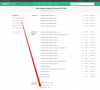
  1. Download the only version you mentioned according to the image above (v66.84.0.35)
  2. Logging into the webconsole of the Yealink T46S and install the firmware (under settings/upgrade) manually.
  3. After the reboot of T46S I switched back to the 3CX management console to perform the upgrade to v66.84.0.95.

Now, there is the red flag gone. :)
 
This also worked for me.
Apologies for the misunderstanding, it wasn't obvious that a 3CX section existed on the Yealink support page - any talk of firmware either refers you to 3CX's own firmware page or Yealink official (misleading you to try their non-3CX firmware).

I followed the steps above except I had to reboot the phone first to clear the previously failed upgrade attempt.

I would guess the reason for this is that you cannot directly upgrade from 66.83.00.55 to 66.84.0.95, 66.84.0.35 must be used as a stepping stone.

It would be great if the 3CX management page could recognise this, so that those of us who skip a couple of 3CX upgrades, dont miss important stepping stones as far as firmware is concerned.

Is there a way we can deploy 66.84.0.35 via the 3CX console? We have 64 phones left to update.
 
@mkaeslin

Ok that's good news, the phone just needed the firmware in between your old version and our latest version.
 
@FrazerJ

This also worked for me.
Apologies for the misunderstanding, it wasn't obvious that a 3CX section existed on the Yealink support page - any talk of firmware either refers you to 3CX's own firmware page or Yealink official (misleading you to try their non-3CX firmware).

No problem, and remember this is what the forums are for so we can share knowledge as a community :)

I followed the steps above except I had to reboot the phone first to clear the previously failed upgrade attempt.

I would guess the reason for this is that you cannot directly upgrade from 66.83.00.55 to 66.84.0.95, 66.84.0.35 must be used as a stepping stone.

In this arena it's a common fact (regardless of what PBX you use) that older phone firmware will not directly upgrade to the latest version. This is a good thing because the manufacturers can ensure the devices don't get bricked due to unexpected incompatibilities. This also happens in other sectors too, it's good practice.

And yes good point about rebooting first, once an upgrade fails the phone might refuse new attempts, that's why I always recommend a factory reset, and then incremental firmware upgrades.

It would be great if the 3CX management page could recognise this, so that those of us who skip a couple of 3CX upgrades, dont miss important stepping stones as far as firmware is concerned.

Is there a way we can deploy 66.84.0.35 via the 3CX console? We have 64 phones left to update.

We recommend to apply updates soon after we release them, this is one way to avoid this. Otherwise if you inform us we will recommend incremental upgrades like our case here.

Glad to hear it was resolved ;)
 
also behavior often is different between reboot and complete power off / on
 
In this arena it's a common fact (regardless of what PBX you use) that older phone firmware will not directly upgrade to the latest version. This is a good thing because the manufacturers can ensure the devices don't get bricked due to unexpected incompatibilities. This also happens in other sectors too, it's good practice.
I would normally read patch notes to check any firmware upgrade order when doing them myself, my fault for not checking this particular update. Using something like 3CX's firmware management it would be useful to either warn users in the pop up, or download the required intermediate update and apply it automatically.

Although my problem stems from skipping some 3CX updates, anyone buying new phones for a new install could have a firmware that requires an intermediate upgrade that a new 3CX install doesnt currently have - meaning many hours manually upgrading - its something the console could handle, one for the dev team!
 
Status
Not open for further replies.

Forum statistics

Threads
111,934
Messages
589,818
Members
164,811
Latest member
aurorasigntrtechitnet