- Joined
- Feb 27, 2023
- Messages
- 3
- Reaction score
- 0
Over the past few months, I've had so many complaints about sound quality I had to switch mostly to my cell phone SIM for business. Really miss using 3CX SMB free on computer when in the office. I remember when I first tried 3CX years ago, the sound was astonishingly clear and loud. It was truly amazing. Yesterday I had some time to try to learn about this, and used the 3CX Windows app, 3CX Web Client, and 3CX Android Cell Phone app to place calls. I called my cell phone SIM number and left voicemail, and called my personal Google Voice number and left voicemail. Calls sounded muffled. Some were not understandable at all. Sounded like a foreign language on one call. Also called my mother's iPhone SIM and traded phones with her to see how she sounded while talking to me using the 3CX Android app. It was the same bit of muffled, sounding too compressed.
Then I searched and read about the problems with latency, jitter, codecs and such. It seems I have network issues a bit sometimes with latency and jitter, but I'm pretty sure it was always like this. Been with same ISP for many years. Many of the 3CX threads about audio quality mention listing codecs in the proper order of preference, and some people only had the incredible crisp clean sound that I remember for 3CX, when they switched to Opus. I was not able to find any UI for accessing my codecs setup. I guess this is because I'm using SMB free and codecs are handled by 3CX on the Net. But I don't know.
Today, I uninstalled 3CX on computer and phone and reinstalled them to discover they had needed updating. The sound is only a little better but still not digitally clean and clear as I recall it used to be.
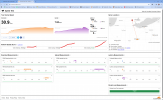
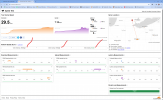
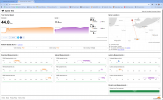
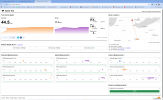
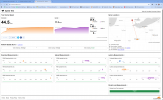
The attached files are screen grabs of network tests, and call monitoring pages from 3CX, and voicemail audio samples downloaded from Google Voice. I know the sound files from Google are mp3, but that is really how a person sounds on a live call.
Also read about SIP ALG and discovered AT&T default gateway settings have it on. I turned it off.
Any advice?
Thanks.
Then I searched and read about the problems with latency, jitter, codecs and such. It seems I have network issues a bit sometimes with latency and jitter, but I'm pretty sure it was always like this. Been with same ISP for many years. Many of the 3CX threads about audio quality mention listing codecs in the proper order of preference, and some people only had the incredible crisp clean sound that I remember for 3CX, when they switched to Opus. I was not able to find any UI for accessing my codecs setup. I guess this is because I'm using SMB free and codecs are handled by 3CX on the Net. But I don't know.
Today, I uninstalled 3CX on computer and phone and reinstalled them to discover they had needed updating. The sound is only a little better but still not digitally clean and clear as I recall it used to be.
The attached files are screen grabs of network tests, and call monitoring pages from 3CX, and voicemail audio samples downloaded from Google Voice. I know the sound files from Google are mp3, but that is really how a person sounds on a live call.
Also read about SIP ALG and discovered AT&T default gateway settings have it on. I turned it off.
Any advice?
Thanks.