


- Joined
- Feb 28, 2018
- Messages
- 332
- Reaction score
- 84
I recently installed 16SC Pro, I noticed the new pdf Certificate of Ownership is locked from copy, so I had to just type it out I put in XXXX-XXXX-XX00-0XXX it worked (Note X is just a mask) when setting up video conference i got this error, so I logged in to the Customer Portal to find the correct key, this is what I found XXXX-XXXX-XXOO-OXXXX (Note X is just a mask) O not Zero was the problem, I am not even sure how I got past the Install with the wrong License Key, I think it is important to be able to copy the key from the pdf so that this does not happen in the future.
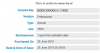
Code:
Incorrect license key supplied

The FQDN you configured at installation time is not linked to the license key which is currently activated. As a result, video conferences cannot work. Activate the license used at FQDN creation time or re-install and use your new license key and link it to a new FQDN.





