Solved License warning still pops-up after Pro license installed

Status
Not open for further replies.

John Paul

Bronze Partner
Intermediate Cert.
Joined
Dec 21, 2018
Messages
19
Reaction score
3
We just upgraded our client from the free (trial) license to the Pro and it shows that the new license is active, however still comes up with the top bar warning saying the license is expiring and they will lose features. Is there a way to disable it. I refreshed the license but still shows up. The client looks at it and then at me ... like I'm tricking him.
Thanks
JP
 
On portal partner, has that licence switched from free to PRO?
Yuo upgraded free to pro so licence number has not changed, that's it ?
 
If you log into the administration console you will find the dashboard option at the top left. On the right column (Information) you will see "License", click on the license info and it will load the license settings page. There you will find the "Edit" "Cancel" "Refresh License Key Information" and "Replace license key" buttons. Hope this helps! :)
 
Thanks for answer , i knew already where to go but it was to check with you if something was not done in right place, as you know too where to go so it's not a way.

Could it be a browser cache to empty?
 
I've always 2 clean browsers in case cache can be a problem but that isn't the issue. It is simply not removing the warning... most probably will remove it as soon as it expires.
Thanks!
JP
 
On portal partner, has that licence switched from free to PRO?
Yuo upgraded free to pro so licence number has not changed, that's it ?
Because the client only wants 4SC I bought the 4C license and installed. It accepted it correctly but still shows that the other license is expiring (I believe it to be a bug). Couldn't do the upgrade because the upgrade (from trial) would be for 16SC and they didn't want it now
 
You bought a completely new key license 4SC that's it? if so then this is not an upgrade, you just need to change key on pbx and did you change FQDN too or did it stay the same?

On partner portal do you have old and new key attached to your customer? if both are and only new one is used , then you need to release key and delte it from portal and keep only the last one you bought
 
Hi @John Paul

  • Did you use the "Replace License Key" button and provided a different key from the trial key?
  • Was the FQDN released on the old license before replacing it with the new one?
  • In the customer portal does the bought key have an FQDN assigned?
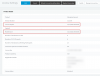
  • What does this page show? (personal info redacted)
13407
 
The issue was solved by itself. It was a matter of propagation. Today the warning is gone and shows the correct commercial license. Thanks to all for the input!
JP
 
Glad to hear it was resolved!
 
Status
Not open for further replies.

Latest Posts

Forum statistics

Threads
111,934
Messages
589,822
Members
164,813
Latest member
divdigital