Linksys SPA 3102 doesn't connect to 3CX [SOLVED]

Status
Not open for further replies.

MrKoen

Joined
Jul 3, 2009
Messages
61
Reaction score
0
Hi,

I'm using 3CX PBX v14.0.49169.513 as my home phone PBX. I noticed it doesn't connect to my Linksys SPA 3102 FXO anymore to hook up my landline with 3CX PBX. I did recently upgrade from v12 to v14. Can't really remember if it broke due to going to 14 or if it broke later on. After many hours of troubleshooting, capturing network traces on the 3CX VM reveal that 3CX is not making any attempts to connect to the Linksys SPA. There's also nothing logged in the 3CX logs. I can't seem to find out why it doesn't connect. Could it be that this functionality is disabled in the free edition of v14?

Thanks for any insights anyone may be able to give here.
 
Re: PSTN Gateways in free edition of v14

Probably a configuration issue. My 3102 continues to work just fine on the same v14/SP3 as you. It's migrated happily through every version upgrade over the years.
 
Re: PSTN Gateways in free edition of v14

Assuming that the fixed IP of the 3102 hasn't changed (all configuration remains the same), be sure that in the 3CX trunk settings for the device, it still shows the same IP that the 3102 is using, as well as the same port assigned for the FXO (PSTN section) on the 3102.

What sort of (error?) log do you get when you place a call that should route to the gateway? There must be an attempt, and failure.
 
Re: PSTN Gateways in free edition of v14

Thanks guys for your input.

Logs from 3CX when trying to make a call that's routed to the SPA:

Code:
19-Aug-2016 11:11:51.758   Leg L:2.1[Extn] is terminated: Cause: BYE from PBX
19-Aug-2016 11:11:51.737   [CM503020]: Call(C:2): Normal call termination. Call originator: Extn:16. Reason: Not available
19-Aug-2016 11:11:51.737   L:2.1[Extn] failed to reach Out#:>>Rule{Fixed line}>>1200, reason Temporarily Unavailable
19-Aug-2016 11:11:51.737   [CM503026]: Call(C:2): Route 1 to PSTNlineLinksys SPA 3102 is not active (Busy/Not registered)
19-Aug-2016 11:11:51.737   Call(C:2): from L:2.1[Extn]: There are no available outbound lines on Trunk 'PSTNlineLinksys SPA 3102' at this time. First line: 90001
19-Aug-2016 11:11:51.663   [CM303003]: There are no available outbound lines on gateway Linksys SPA 3102 at this time. First line: Lc:90001(@Linksys SPA 3102[<sip:[email protected]:5060>])
19-Aug-2016 11:11:51.663   Line limit check: Current # of calls for line Lc:90001(@Linksys SPA 3102[<sip:[email protected]:5060>]) is 0; limit is 1
19-Aug-2016 11:11:51.663   Call(C:2): Call from Extn:16 to 1200 matches outbound rule 'Fixed line'
19-Aug-2016 11:11:51.661   [CM503001]: Call(C:2): Incoming call from Extn:16 to <sip:[email protected]:5060>

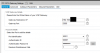
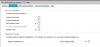
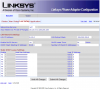
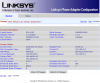
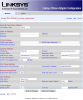
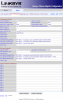
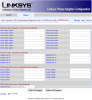
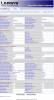
Would you mind comparing my config against your working config? See attachments.

I took a network capture again and I see no traffic whatsoever originating from the SPA or going to the SPA on the 3CX VM.
 

Attachments

  • 3cx.png
    3cx.png
    45.4 KB · Views: 817
  • 3cx2.png
    3cx2.png
    14 KB · Views: 817
  • 3cx3.png
    3cx3.png
    14.4 KB · Views: 800
Re: PSTN Gateways in free edition of v14

I see no traffic whatsoever originating from the SPA or going to the SPA on the 3CX VM

That's not good... The SPA-3102 needs to be registered to 3CX so there must be some traffic flow. Does 3CX show the 3102 as registered and what does the 3102 Voice>>Info tab show for PSTN Line Status?
 

Attachments

  • Capture.PNG
    Capture.PNG
    9.1 KB · Views: 721
Re: PSTN Gateways in free edition of v14

So what's the supposed flow anyway? SPA registers to 3CX or 3CX connects to the SPA?

My network setup is as follows:

SPA -> pfSense -> IPSec over internet <- pfSense -> 3CX VM

I did also enable logging of all network traffic originating from the SPA on the left side of the story. It also doesn't see any data flowing out of the SPA towards 3CX. It does however after a reboot show the SPA going out to the internet to do a time check with an NTP service, so the IP and routing seems to work. But why doesn't it try to connect to 3CX?! Stumbles me.
 

Attachments

  • spa.png
    spa.png
    112.1 KB · Views: 710
Re: PSTN Gateways in free edition of v14

Your 3102 shows failed registration, hence the problem. It should be sending a registration request to your 3CX machine which you would be able to capture, but without the full configuration it's hard to diagnose much further.
 
Re: PSTN Gateways in free edition of v14

Ok...first off, it's not necessary to black out part of the private IP (in both the device and the log, no one is going to be able to get to that anyway, and it provides no help in trouble-shooting (public IPs are a different story).

I see that you are using port 5060 for the FXO portion. that is normally (by default) used by the FXS port in that device. I would hope that you have disabled the FXS, or have it set to use a different port

In the past, a lot of 3102 issue arose because the 3102 uses 5061 for the FXO (by default) and 3CX defaulted to using 5062.

Check to see that all local IPs match up, those in the trunk settings and the 3102 as well as the port settings, (I can't tell because you blocked them out) and that there are no conflicts.
 
Re: PSTN Gateways in free edition of v14

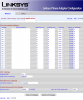
Thanks again guys for your insights. It's a common recommended practice not to disclose the internals of your network. I've created screen captures of every configuration page of the SPA 3102 now without blacking anything out. Hopefully you can find something that leads to why the SPA is not at all trying to make a connection.
 

Attachments

  • RouterApplication.png
    RouterApplication.png
    98.8 KB · Views: 670
  • RouterLanSetup.png
    RouterLanSetup.png
    88 KB · Views: 656
  • RouterStatus.png
    RouterStatus.png
    85.8 KB · Views: 651
  • RouterWanSetup.png
    RouterWanSetup.png
    92.9 KB · Views: 644
  • VoiceInfo.png
    VoiceInfo.png
    114.9 KB · Views: 656
  • VoiceLine1.png
    VoiceLine1.png
    175.6 KB · Views: 661
  • VoiceProvisioning.png
    VoiceProvisioning.png
    104 KB · Views: 645
  • VoicePstn.png
    VoicePstn.png
    223.1 KB · Views: 664
Re: PSTN Gateways in free edition of v14

And the second series of screen captures
 

Attachments

  • VoicePstnUser.png
    VoicePstnUser.png
    89.1 KB · Views: 599
  • VoiceRegional.png
    VoiceRegional.png
    180.5 KB · Views: 593
  • VoiceSip.png
    VoiceSip.png
    123.9 KB · Views: 598
  • VoiceSystem.png
    VoiceSystem.png
    75.1 KB · Views: 587
  • VoiceUser1.png
    VoiceUser1.png
    106.1 KB · Views: 585
Re: PSTN Gateways in free edition of v14

There's an awful lot of variables, particularly given that the route between your 3102 and 3CX is somewhat convoluted! I assume you have tested the IP route between 192.168.51.x & 192.168.64.77 and are happy it is all working?

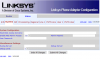
One thing that looks different in your 3102 config that you might want to try is in the Voice >> PSTN Line >>'Proxy & Registration' section. I notice that you have both 'make call' & 'answer call without registration' set to YES. I'm running mine with both set to NO - I've not yet tested my setup to see whether this inhibits the registration process but it might be worth changing. [I'll try it in a bit on my off-line V15 trial system and see whether it makes a difference]
Answer: No, it doesn't seem to make a difference! I think I'd look at the IP routing again, I notice for example the 3102 is on DHCP rather than static IP - is this deliberate?
 

Attachments

  • Proxy and registration.PNG
    Proxy and registration.PNG
    14 KB · Views: 616
Re: PSTN Gateways in free edition of v14

Well, right off the bat, you have it set to use DHCP. While that is fine for an ATA, it isn't good for a gateway as you have to know, for certain what the IP address is. That IP has to go into the trunk setting in 3CX, along with the port, in this case 5060.
I would also disable LINE 1 (set to no), as you don't appear to be using it anyway.

I will have a look through the other settings....

Unless you have some reason for it being otherwise, PSTN Ring thru Line 1 (under PSTN-to-Voip gateway setup) should be set to No

You have the gateway set to register every 360 seconds, which is a bit of overkill. the default is 3600 but 3CX will specify to re-register every 1800 as long as your datafilled value is higher. In your case, your setting (being a lower value) will override.

Under LAN set-up, unless you are using the 3102 as a router (which most people don't), you should set the Networking Service to Bridge. That allows you use the other Ethernet port to connect to another network device (daisy chain) with the 3102 being transparent.
 
Re: PSTN Gateways in free edition of v14

I've tried all your suggestions. Unfortunately to no avail. When enabling logging on my pfSense gateway, I can clearly see the SPA3102 is making no attempt whatsoever to make any kind of connection anywhere. From the 3CX box I can ping and traceroute the SPA3102 without any problem, so I believe that confirms the network and firewall config is fine.

I'm now trying to upgrade the firmware from 5.1.10(GW) to 5.2.13. Funny enough when running the firmware upgrade tool, my firewall directly shows that the SPA3102 is connecting outbound over the same network link to the host where I started the upgrade. So the IP routing must be fine.

I was using DHCP by the way just to keep my network setup maintainable. Whenever I need to change something (i.e. gateway), the statically configured devices always are forgotten. Hence I use DHCP with static mappings. I've been using that with the SPA3102 for many years without any problems. Just to rule it out, I did configure it now with a static IP/Sub/GW. Doesn't help.
 

Attachments

  • 3cxtrace.png
    3cxtrace.png
    4.1 KB · Views: 566
Re: PSTN Gateways in free edition of v14

And good news! It works! Finally after spending many many hours on this. The following article I bumped into when looking for the firmware details gave me a push in the right direction:

http://www.cisco.com/c/en/us/support/do ... 08725.html

Essentially what I needed to do was:

[*] Go to Voice \ Line 1 and switch "Line Enable" to YES again
[*] On the same page under Proxy and Registration at Proxy enter the FQDN of my 3CX VOIP server
[*] Under the same section on the same page switch Register to YES

Save and boom! My firewall shows the connection attempt towards 3CX over 5060 UDP and 3CX shows its connected now. A test call outbound from 3CX -> SPA 3102 -> PSTN succeeds and also from PSTN -> SPA 3102 -> 3CX works!

Woohoo!

Thanks for your help guys, I sure appreciate the time you've taken to try to help me out here. Awesome!
 
I'm not certain how the Line 1 setting come into play, in your case. Years ago, when 3CX still provided manual configuration information for the 3102, they "suggested" that the line and PSTN could not be used at the same time, which isn't true. I have a number of 3102's working, that use the Line as a 3CX extension (totally separate from the trunk settings on the PSTN port), and, some that have line 1 disabled entirely.
 
I remember the 3CX article you're talking about. I checked my screen captures I made in the past and I have always had line enabled it seems now. From monitoring the network traffic it seems to work like this:

- SPA 3102 sends out connect attempt over 5060 UDP to 3CX utilizing the Line 1 settings
- 3CX receives the request and connects back to SPA 3102 utilizing the settings in the SPA 3102 under PSTN Line

Works for me! :)
 
It may have something to do with the fact that you are using port 5060 for the PSTN trunks (and, perhaps, DHCP?). The factory defaults on the 3102 is set to use 5060 for line 1 and 5061 for PSTN. 3CX "instructions" said to change the 5061 to 5062 and use that at both ends.

As long as several options are set correctly, the FXS and FXO ports should be completely separate devices that happen to share an IP, in the same way many gateways with multiple trunks, allow each trunk to be addressed individually using the unique port assigned to each one.

But, If it's working for you now, great.
 
Status
Not open for further replies.