Linksys SPA2102 and 3CX in Cloud

Status
Not open for further replies.

Mike94

Silver Partner
Advanced Certified
Joined
May 31, 2019
Messages
53
Reaction score
12
Hi,

I have analog phone (Intercom) connected to the Phone1 socket of the SPA2102, the device is then connected to the Internet. My 3CX is in the Cloud, in the office there is a SBC, and I have configured the extension called Front Door. Everything has been working perfect, but recently I had to add another analog device to the second port, because someone before me has configured the device password, which I didn't know I had to reset the device. I thought it will be easier to configure it again, but it looks like I totally stuck. Any ideas would be greatly appreciated!
 
So for now nothing is set on SPA 2102?
 
First of all , do you have admin access working now?
 
If so , surely the same basic things need to be done on ATA

  1. set a LAN static IP for SPA
  2. Set the right Time Zone
  3. Surely in advanced settings, set the right call progress tones
  4. Set DNS as google 8.8.8.8
  5. SET ntp server like 1.pool.ntp.org
  6. in SIP, set packet size to 0.020
  7. RTP range 9000 to 9049
this is my first ideas
 
perhaps this may help

 
Last edited:
  • Like
Reactions: Mike94
If so , surely the same basic things need to be done on ATA

  1. set a LAN static IP for SPA
  2. Set the right Time Zone
  3. Surely in advanced settings, set the right call progress tones
  4. Set DNS as google 8.8.8.8
  5. SET ntp server like 1.pool.ntp.org
  6. in SIP, set packet size to 0.020
  7. RTP range 9000 to 9049
this is my first ideas
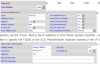
Thank you for your clues, but what about the extension credentials from the 3CX Management Console, like on the screenshot below:
11587

I have tried to do everything like on the official tutorial, but unfortunately it doesn't work for me. I am not really sure what values should I put in the particular fields. The password under Subscriber Information is the password from the General tab of the Extension settings, like below, or rather than the PIN for the Voicemail ?
11588

And the Proxy Address, should it be my SBC IP Address ?
 
I think those old ATA doesn't support alphanumeric ID credentials, so in 3CX you need for ATA extensions to set them as id= extension number.

I need to connect to similar SPA 3102 i have running to remember settings
 
11589
Here Proxy IP is for on premise 3CX, in your case try with SBC IP
 
  • Like
Reactions: Mike94
Don't forget to push submit each setting change you do , otherwise nothing is saved

IN SIP
11590
 
  • Like
Reactions: Mike94
11591
 
  • Like
Reactions: Mike94
I got one to register,
11592

This works with on premise, so change IP to the SBC one and try

11593

Green on 3cx
11594
 
  • Like
Reactions: Mike94
deactivate auth id, clear auth id field
on extension ID must be only numeric value so if you set 249 as extension in 3cx it's ok
Password can be the default one from 3cx extension.

take care on dashboard your device ip has not been blacklisted, it was for me due to too much login try failure
 
  • Like
Reactions: Mike94
deactivate auth id, clear auth id field
on extension ID must be only numeric value so if you set 249 as extension in 3cx it's ok
Password can be the default one from 3cx extension.

take care on dashboard your device ip has not been blacklisted, it was for me due to too much login try failure
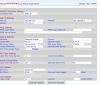
Thanks for all your advice, finally I have it working:) I have configured everything like on the screenshot below:

11599
Proxy is the SBC server in my case
Password and Auth ID I took from the extension settings under the Authentication field.

Now when I have it online and working I have some minor problem.. Basically when I finish talking with the person through the intercom and hang up the Intercom doesn't and is making a noise, like: beep, beep, beep, beep. To stop it I need to push the button on the intercom, which is quite annoying. I believe this is something to do with the settings on the VoIP gateway, do you know maybe, where I can find the settings corresponds to this ?
 
  • Like
Reactions: AWS2P
i got it behind sbc with no pain, just replacing pbx ip with SBC
11600
 
this is surely coming from regional settings, you need to set according to your country use, i'm french so my settings are differents from yours.
I can send you my regionals if you want but not sure it helps you a lot
 
Perhaps it's the hang up time set too short on line1 or 2 or both, and device is not detecting you have hanged on other side and stay always on line. you need to do some test until you find a value which works fine
 
  • Like
Reactions: Mike94
If the front door initiates the call, then if it stays off-hook too long, after the other end has hung up, the 2102 will send an off-hook tone to "remind" the caller to hang up.

Under the Regional Tab, you should find Reorder Delay. This is normally set to 5 (seconds) You can increase that up to 255, or inf, which means it will never play. Just something longer that the time-out of the doorphone.
 
  • Like
Reactions: Mike94
Status
Not open for further replies.

Forum statistics

Threads
112,359
Messages
592,098
Members
165,533
Latest member
[email protected].