Already established Live Chat on our website. However, others cannot use it because the widget is greyed out. I'm curious because in my PC and my mobile was working.
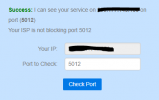
The HTTPS port of your 3CX (default 5001/TCP) is not open publicly
3CX has been installed using a non-3CX and non-trusted SSL certificate (eg. self-signed)
Your website is not using a trusted SSL Certificate.
In the 3CX Live Chat settings, you have not correctly entered the website URL where you have made the Live Chat integration. On this note that if your website is accessible with https://www.mywebsite.com AND https://mywebsite.com, then in the Live Chat settings you must enter both
If none of this helps, could you send a screenshot of the Live Chat settings in your 3CX and the website you have installed the Live Chat plugin on?
Already established Live Chat on our website. However, others cannot use it because the widget is greyed out. I'm curious because in my PC and my mobile was working.
3CX has been installed using a non-3CX and non-trusted SSL certificate (eg. self-signed) = how will I resolve this?
Your website is not using a trusted SSL Certificate.= this is our website and I assume it was secured
n the 3CX Live Chat settings, you have not correctly entered the website URL where you have made the Live Chat integration. On this note that if your website is accessible with https://www.mywebsite.com AND https://mywebsite.com, then in the Live Chat settings you must enter both = Already did
Just an update. The widget was working when I log-in to the webclient. So I assume you need to log-in the 3CX to be able to work? My intention here was to give a fast option to our visitors to inquire
Yes, for the widget not to appear greyed out, you'll need to have extensions associated to it logged in on the 3CX Web Client.
Another option would be to set up the Offline Chats, the widget will work as normal but send a message saying that no one is available, please leave a message (the message is customizable), you can configure Live Chat to require a Name and Email address so you can get back to your clients later via mail.