- Joined
- Feb 9, 2022
- Messages
- 7
- Reaction score
- 2
Hello,
I'm wanting to move our Wordpress website over to 3CX Live chat (3cx chat server) but I am having issues with the following:
1. If a chat is "Taken" no one can see that chat besides the agent. A possible workaround was for chats NOT to be taken, but only people who were logged in at the time the chat came in can ever see the chat and it removes the personable nature of the chat as it never shows your agent name while chatting, just the default Sales or Support.
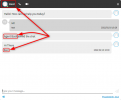
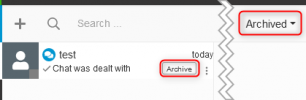
Perhaps if the "Archive" feature archives the chat to the queue so all agents can see the history. Especially handy with problematic/repeat customers.
2. If someone signs in while there is a current unassigned chat, they do not see it. Only agents who were logged in at the time the chat came in see it. Bug?
3. Managers of the Live Chat Queue can not see history either only in-progress chats. My managers want to be able to see all historical live chats and how they were responded the following day.
4. If someone exits the client without signing out of the queue and they are the only person left in the queue no one else will ever see the live chats as they would have all filtered to this unregistered person remaining in the queue. This is a pretty major oversight. Why doesn't a "Not registered" person get pushed out of the queue? If my earlier suggestions of the history showing for all agents was in place this wouldn't be a problem.
Any thoughts on the above?
I'm wanting to move our Wordpress website over to 3CX Live chat (3cx chat server) but I am having issues with the following:
1. If a chat is "Taken" no one can see that chat besides the agent. A possible workaround was for chats NOT to be taken, but only people who were logged in at the time the chat came in can ever see the chat and it removes the personable nature of the chat as it never shows your agent name while chatting, just the default Sales or Support.
Perhaps if the "Archive" feature archives the chat to the queue so all agents can see the history. Especially handy with problematic/repeat customers.
2. If someone signs in while there is a current unassigned chat, they do not see it. Only agents who were logged in at the time the chat came in see it. Bug?
3. Managers of the Live Chat Queue can not see history either only in-progress chats. My managers want to be able to see all historical live chats and how they were responded the following day.
4. If someone exits the client without signing out of the queue and they are the only person left in the queue no one else will ever see the live chats as they would have all filtered to this unregistered person remaining in the queue. This is a pretty major oversight. Why doesn't a "Not registered" person get pushed out of the queue? If my earlier suggestions of the history showing for all agents was in place this wouldn't be a problem.
Any thoughts on the above?
Last edited: