Live Chat&Talk troubles

Status
Not open for further replies.

Joe Hawk

Free User
Joined
Aug 6, 2020
Messages
6
Reaction score
1
Hi, we are small company and testing capabilities of 3cx telephony and site integration at the moment. But we have stuck on site integration of live chat&talk. We've got a site (not wordpress), made all settings at 3cx admin dashboard:
enter our domain name, save it,
next enter authorize settings on code generator tab,
choose extension user number to make a call,
choose Just calls in widget capabilities
other settings by default
Next step was generate a code. We made copy-paste that code in html of our site. But on site we have a blue icon and error in the console.
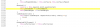
callus.js:7 TypeError: Cannot read property 'offsetWidth' of undefined
at s.mounted (callus.js:27)
at Ve (callus.js:7)
at tn (callus.js:7)
at Object.insert (callus.js:7)
at S (callus.js:7)
at Sn.__patch__ (callus.js:7)
at Sn.e._update (callus.js:7)
at Sn.r (callus.js:7)
at pn.get (callus.js:7)
at new pn (callus.js:7)
1596697023249.png
Clicking on icon has no effect, no errors and network requests.

And by the way, if we choose Chat and Calls in widget capabilities, then we can chat and make a call, but we need just to make a call to our employee.
Can you help us to solve this problem?
 
Last edited:
Hello @Joe Hawk ,

What build of PBX you are in?
Can you please also elaborate a bit more on the following point:
" And by the way, if we choose Chat and Calls in widget capabilities, then we can chat and make a call, but we need just to make a call to our employee. "
 
hi,
Our license is professional 16.0.6.636, hosting: https://digitalsvp.my3cx.ru/
We've just tried different variants of widget capabilities, variant with Chat and Calls worked fine, but generated code was other then Just Calls widget capability

variant Chat and Calls:
<call-us
style="position: fixed; bottom: 8px; right: 8px; z-index: 99999;--call-us-form-header-background:#007bc7;--call-us-header-text-color:#ffffff;--call-us-form-height:470px;--call-us-form-width:250px;"
phonesystem-url="https://digitalsvp.my3cx.ru/"
party="client1"
allow-call="true"
allow-video="false"
authentication="both"
invite-message= "Hello! How can I help you?"
operator-name="Support"
allow-soundnotifications="true"
enable-poweredby="true"
ignore-queueownership="false"
show-typing-indicator="true"
auto-focus="true"
enable-onmobile="true"
popout="true"
window-title="Contact Us"
show-operator-actual-name="true"
animation-style="none"
minimized="true"
minimized-style="bubble">
</call-us>
<script src="https://digitalsvp.my3cx.ru/callus.js" charset="utf-8"></script>

variant Just Calls
<call-us-phone
style="position: fixed; bottom: 8px; left: 8px; z-index: 99999;--call-us-form-header-background:#007bc7;--call-us-header-text-color:#ffffff;"
phonesystem-url="https://digitalsvp.my3cx.ru/"
party="aa"
call-title="Call Us"
enable-onmobile="true"
animation-style="slideLeft">
</call-us-phone>
<script src="https://digitalsvp.my3cx.ru/callus.js" charset="utf-8"></script>

The last variant gave us an error. We used a 3cx web-client for testing.
 
Last edited:
Hello @Joe Hawk ,
Thank you for reporting this. I can see also the error on my setup, but the functionality is working as expected. In your case what is the problem with the phone only mode apart from the exception on browser console ?
 
Generated code:
<call-us-phone
style="position: fixed; bottom: 8px; left: 8px; z-index: 99999;--call-us-form-header-background:#007bc7;--call-us-header-text-color:#ffffff;"
phonesystem-url="https://digitalsvp.my3cx.ru/"
party="aa"
call-title="Call Us"
enable-onmobile="true"
animation-style="slideLeft">
</call-us-phone>
<script src="https://digitalsvp.my3cx.ru/callus.js" charset="utf-8"></script>

gave an error in browser console
callus.js:7 TypeError: Cannot read property 'offsetWidth' of undefined
at s.mounted (callus.js:27)
at Ve (callus.js:7)
at tn (callus.js:7)
at Object.insert (callus.js:7)
at S (callus.js:7)
at Sn.__patch__ (callus.js:7)
at Sn.e._update (callus.js:7)
at Sn.r (callus.js:7)
at pn.get (callus.js:7)
at new pn (callus.js:7)

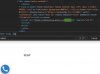
Generated code was build in the end of body block. This is just blank page of our site for testing
 
Can you check callus.js which we used? Link in previous post
 
@Joe Hawk ,

Everything works as expected. What is the exact problem that you get apart from Browser console error. I do get also the error but this does not affect somehow the functionality.
2020-08-07_10h43_13.jpg
2020-08-07_10h47_12.gif
 
I can't get where i'm wrong...
i activate Click2Talk on Extension, add domain name, add extension number to Extension/Queue setting, and choose phone only mode in widget capabilities. Maybe i missed something?
1596788271432.png
and nothing works
 
Last edited:
Your site is not https. This is the reason that is not working. If there is not valid ssl certificate the audio/video calls are not possible.
 
Yes, i checked it out, it works!
Thanks a lot ;)
 
Status
Not open for further replies.

Forum statistics

Threads
112,147
Messages
590,961
Members
165,167
Latest member
Finatra.us