- Joined
- Oct 6, 2025
- Messages
- 10
- Reaction score
- 0
Hello,
Our local network users are unable to access the 3CX system using both the FQDN and local IP/URL. However, I can successfully log in from outside the network (using a different IP) as an admin.
Here are the details:
3CX is hosted on-premises.
External access (from other networks) works fine.
Local access (from LAN) fails — no login page or connection.
I have checked and there’s no IP in the blacklist under Management Console → Security → IP Blacklist.
I also allowed (whitelisted) the local IP, but it didn’t resolve the issue.
Restarted the internet router (which changed our public IP), still the same issue.
No Fail2Ban service visible on the server.
I cannot change the local network IP addressing scheme.
What could be blocking local access while external access still works?
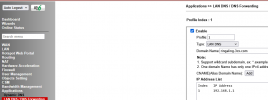
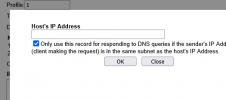
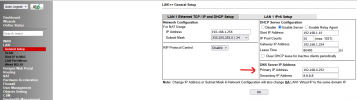
Could it be a DNS / NAT loopback issue or a hidden firewall block inside 3CX or require to do anything from backend?
Any guidance on how to verify or reset local access from the 3CX backend would be appreciated.
Our local network users are unable to access the 3CX system using both the FQDN and local IP/URL. However, I can successfully log in from outside the network (using a different IP) as an admin.
Here are the details:
3CX is hosted on-premises.
External access (from other networks) works fine.
Local access (from LAN) fails — no login page or connection.
I have checked and there’s no IP in the blacklist under Management Console → Security → IP Blacklist.
I also allowed (whitelisted) the local IP, but it didn’t resolve the issue.
Restarted the internet router (which changed our public IP), still the same issue.
No Fail2Ban service visible on the server.
I cannot change the local network IP addressing scheme.
What could be blocking local access while external access still works?
Could it be a DNS / NAT loopback issue or a hidden firewall block inside 3CX or require to do anything from backend?
Any guidance on how to verify or reset local access from the 3CX backend would be appreciated.