Local Transcription server issues - Delete & restart

Marco@

Premier Customer
Joined
Jul 2, 2019
Messages
47
Reaction score
11
Hello,

We found the local transcription server was disconnected, and even after numerous restarts of both the Transcription server and the 3CX instance, we had no luck to get them reconnected. Also attempted to use the Installation command from the existing transcription server record - no go.

Ended up having to delete the Transcription engine record and generate a new one - this worked.

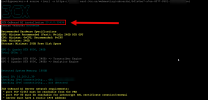
I did notice that the installer shows version 20.6.0.39696

_____ ______ __
|___ / / ___\ \/ /
|_ \| | \ /
___) | |___ / \
|____/ \____/_/\_\

3CX OnBoard AI installation 20.6.0.39696
Debian Version: bookworm


however the status page in 3cx shows it as version 20.5.0.38991. Is this expected?
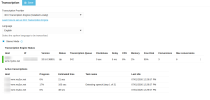
1782909619677.png


Prior server that was disco and could not be reconnected:
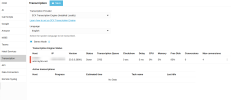
1782909646305.png

1782909676170.png
 
Additional question; it shows MAX CONVERSIONS is now upped to 6, however even with the backlogged queue, it doesn't run past a max of 3 concurrent. Just inquiring what/how and if that will change?

1782909995082.png
 
There can be a mismatch between the version reported in the Admin Console, and the version of the installer itself. Having said that, in the near future (should be update 10) these will become aligned.

Concurrency 6 effectively means that 3 transcription jobs and 3 analysis (summary/sentiment) jobs can run concurrently.
 
Kevin,

Would it be possible to have you guys add alerts if the transcription engine is no longer reachable? Similar to when a bridge is down, or service fails?

Additionally it would be fantastic if there is a way to add a backup, redundant/failover service. If primary transcription service is not reachable/fails, move on to secondary. (Maybe more than 1hr or x# or queue)
 
  • Like
Reactions: nikolascx
@cmp1 ,

Alerts is something we could consider.

There are some significant changes coming along to the AI Server, which, among other things, brings the possibility to connect multiple AI Servers to the same PBX.

Hang on in there...
 
@cmp1 ,

Alerts is something we could consider.

There are some significant changes coming along to the AI Server, which, among other things, brings the possibility to connect multiple AI Servers to the same PBX.

Hang on in there...
Multiple AI servers to same PBX is nice for redundancy, multiple PBX to same AI server is needed for customers/providers with multiple offerings :)
 
@cmp1 ,

Hold on to your hat, that's coming too ;)
 
I host a local transcription machine from home on a dynamic IP and during some scheduled maintanance my IP changed. My yec2p-wmr.my3cx.net FQDN would not refresh. Following this guide helped me request a new FQDN with the correct IP.

Thank you, I'm glad I found this post!

Here's my steps:
# 1. Deleted and rebuilt transcription engine (new FQDN ****9-wmr.my3cx.net)
I had to reboot the PBX after deleting.

# 2. Patch le-posthook.sh — certbot runs hooks without /usr/sbin in PATH
Code:
cp -a /opt/3cxwm/setup/le-posthook.sh /root/le-posthook.sh.bak
sed -i '1a export PATH=/usr/local/sbin:/usr/local/bin:/usr/sbin:/usr/bin:/sbin:/bin' \
/opt/3cxwm/setup/le-posthook.sh


# 3. Patch le-posthook.sh — `service --status-all` never matches a systemd-only
# unit, so the restart was skipped and the script still exited 0
Code:
sed -i "s|^if service --status-all.*then$|if systemctl cat 3CXWMConverterService >/dev/null 2>\&1; then|" \
/opt/3cxwm/setup/le-posthook.sh

# 4. Remove stale cert
Code:
certbot delete --cert-name yec2p-wmr.my3cx.net

# 5. crontab -e — removed yec2p line, added 2>&1 to cert line
Code:
0 1 * * 0 /opt/3cxwm/converterservice/aptupgrade.sh >>/var/lib/3cxpbx/WebMeeting/Logs/converterupdate.log 2>&1
@reboot /opt/3cxwm/converterservice/headers-update.sh >>/var/lib/3cxpbx/WebMeeting/Logs/converterupdate.log 2>&1
0 3 * * * /usr/bin/certbot certonly --no-autorenew --standalone --non-interactive -m "*****@gmail.com" --agree-tos --preferred-challenges http -d ****9-wmr.my3cx.net --post-hook /opt/3cxwm/setup/le-posthook.sh >> /var/lib/3cxpbx/WebMeeting/Logs/onboard-install.log 2>&1

Steps 2 and 3 are overwritten by the installer.
 
  • Like
Reactions: KyriacosS_3CX
@GeorgeNotDigital

Once Update 10 goes Final, and you move to the latest 3CX AI Server, this issue will simply cease to exist.

We are switching to a client-model for the 3CX AI Server, and it will not need a dedicated FQDN or SSL certificates to connect to the PBX(s).
 

Forum statistics

Threads
112,048
Messages
590,487
Members
165,000
Latest member
przemek.w