Local webmeeting server doesn't work any more: TLS error mcu

PBX128

Premier Customer
Joined
Oct 31, 2024
Messages
161
Reaction score
110
Hello,

since few minutes we are no longer possible to use our local 3cx webmeeting server.

In 3CX admin are it is shown as green:
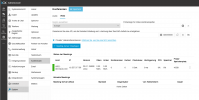
1736932641614.png

in Webbrowser we are shown: Ups, a error occured
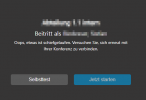
1736932687480.png


In 3CX Smartphone App it is shown: "TLS error mcu"
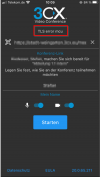
1736932746125.png


Any ideas?

Kind regards
 
Hello @PBX128 , it seems that there's a problem with SSL certificate renewal on your webmeeting server.

Please run this command as root on your webmeeting server:

certbot certificates

What do you see?
 
Certificate error?
 
After a restart of 3cx webmeeting server, the server is shown red in 3Cx admin.
The server itself is online.
 
Hello @PBX128 , it seems that there's a problem with SSL certificate renewal on your webmeeting server.

Please run this command as root on your webmeeting server:

certbot certificates

What do you see?
I will try that.
 
After a restart of 3cx webmeeting server, the server is shown red in 3Cx admin.
The server itself is online.
Check your certificate.
 
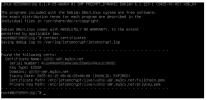
Here is the output:
1736934428812.png
 
For some reason the automatic renewal procedure failed.
Please check that port 80 TCP is opened on your server, it's needed for certbot challenge and certificate update.

You can force certificate update with

certbot renew

If it fails or it doesn't update your cert, you can regenerate your certificate with

certbot certonly

choose 1: Spin up a temporary webserver (standalone)

then choose 2: Renew & replace the certificate (may be subject to CA rate limits)

then enter your webmeeting server FQDN, xxxxxxxx.my3cx.net

wait for renewal procedure to complete.

Once certificate is renewed, you can restart services:

systemctl restart 3CXWMMcu 3CXWMMcuManager

You should see server green in your PBX monitor page and webmeeting now will work normally.
 
  • Like
Reactions: Alejandro_3CX
It renewed the certificate with "certbot certonly".
We restarted meeting server.
But unfortunately it keeps showing red in 3CX PBX.

When we use 3cx webmeeting self check it shows: "No OnBoard MCU Available. Please try again later"
 
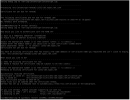
It seems as manually forced certificate renewal worked:
1736948815940.png


Unfortunately if we check the used certificate, it still shows the old one:

1736949009770.png
 
Please run manually (as root) the post update script:

/opt/3cxwm/setup/le-posthook.sh

This will update the certificate files and restart services.
 
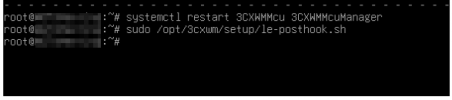
We run the script. There was no error message or other message:
1736952087773.png


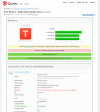
Unfortunately it's still not working:
- https://www.ssllabs.com/ssltest shows still the old expired certificate
- PBX shows still "red"
1736952119429.png
 
Do we have to delete this Meeting VM and install a new Meeting VM?
Would this lead to problems with the planned meeting dates that have already been created?
 
Do you mind checking the content of /opt/3cxwm/cert with
ls -la /opt/3cxwm/cert

You should see same files as the one listed here:

ls -la /etc/letsencrypt/live/YOUR-WEBMEETINGSERVER-FQDN/

Please check that /opt/3cxwm/setup/le-posthook.sh is updating the correct FQDN, check the script content and verify that it matches your fqdn
 
Do we have to delete this Meeting VM and install a new Meeting VM?
Would this lead to problems with the planned meeting dates that have already been created?

This is another solution yes. You can reinstall on the same server. Zero impact on scheduled meetings.

I still wonder why the auto update failed...
 
  • Like
Reactions: Evolute IT
Oh, apparently I had to threaten the VM to delete it, now the icon in the PBX has suddenly changed to green and meetings are possible again! SslLabs now also shows the new SSL certificate.

I have no idea, why it took so long.
And I have no idea, why it didn't auto-renew the certificate.

We will check again in 3 months...

Thank you very much for your fast help @MarcelloV !!!
 
No auto-update until now. Only less than four days left.
It should have auto-renewed the certificate yet, shoudn't it?
 
Last edited:
Hi, thanks for checking this before actual expiration. If you don't mind I'm gonna ask you some details in PM so we can troubleshoot the update process and fix it once for all. I'm quite sure something went wrong at install time and you ended with a slightly wrong SSL update script which is not working correctly.
 
  • Like
Reactions: PBX128
Thanks MarcelloV for your help.
For everyone: Manual renewal has worked. 3CX-Staff is still analyzing why auto-renewal doesn't work.
 
Unfortunately, the auto-renewal did not work again. :-(
We had to update it manually. It would be great if a solution could be found in the next 80 days. :-)
 

Latest Posts

Forum statistics

Threads
111,973
Messages
590,075
Members
164,895
Latest member
jasonkkrause