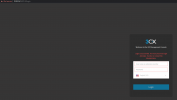
Solved Login access denied. Too many incorrect login attempts. Try later or contact the Administrator.

Status
Not open for further replies.

fazzu

New User
Joined
Jul 14, 2021
Messages
3
Reaction score
1
I am trying to login using the correct admin logins but I keep getting error "Login access denied. Too many incorrect login attempts. Try later or contact the Administrator". The login I am trying is of the administrator. How can I fix it? I have tried to access from external IP, then it won't even load the page.
 
Hello Fazzu,

You have blacklisted the IP address that you are attempting to login from, its a 3CX security measure, either wait the duration(default 30 mins) of the blacklist OR try accessing the Management Console from a different connection/IP and remove your blacklisted IP from the the list (Dashboard >> IP Blacklist). If you prefer, just edit the record for your IP and change the action from deny to Allow.
 
  • Like
Reactions: Cal4care | RA
Hello Fazzu,

You have blacklisted the IP address that you are attempting to login from, its a 3CX security measure, either wait the duration(default 30 mins) of the blacklist OR try accessing the Management Console from a different connection/IP and remove your blacklisted IP from the the list (Dashboard >> IP Blacklist). If you prefer, just edit the record for your IP and change the action from deny to Allow.
Hi Naveen,

I have tried that from a different pc too but then the 3cx management portal won't even load, will give error as if the address is invalid. The logins are correct that I am trying to login. I have tried after 5 hours at least and still the same issue. I don't know why it is not accepting my credentials.

When I try to access link mysipname.my3cx.us:5001 It doesn't load anything.

1626327941505.png
 
Last edited:
Hi @fazzu

1. In order to access the system via FQDN, you need to forward ports otherwise your modem/router/firewall blocks you by default https://www.3cx.com/docs/ports/ (this is only for external access of course, it doesn't affect internal LAN access)

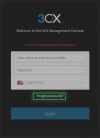
2. If you got locked out, you need to try and login using the correct username (even if the password is wrong) and the system will then give you a "Forgot password" option on the 2nd wrong attempt (on the 3rd you get locked out). If this option does not appear, it is practically guaranteed that your have not used the correct username
1626334753666.png

3. If the above does not help, then you might have to wipe the machine and reinstall, making sure that you save a screenshot of the final page of the configuration wizard (just as a backup)


As for the system not being accessible from other PCs on your network, that remains unknown - I would at least try and ping the machine from those other PCs and if I get nothing I would assume that the network is not allowing the traffic through and investigate in that direction. Since you are able to access it from at least one PC then you at least know that the system is up and running.
 
Last edited:
Hi @fazzu

1. In order to access the system via FQDN, you need to forward ports otherwise your modem/router/firewall blocks you by default https://www.3cx.com/docs/ports/ (this is only for external access of course, it doesn't affect internal LAN access)

2. If you got locked out, you need to try and login using the correct username (even if the password is wrong) and the system will then give you a "Forgot password" option on the 2nd wrong attempt (on the 3rd you get locked out). If this option does not appear, it is practically guaranteed that your have not used the correct username
View attachment 22968

3. If the above does not help, then you might have to wipe the machine and reinstall, making sure that you save a screenshot of the final page of the configuration wizard (just as a backup)


As for the system not being accessible from other PCs on your network, that remains unknown - I would at least try and ping the machine from those other PCs and if I get nothing I would assume that the network is not allowing the traffic through and investigate in that direction. Since you are able to access it from at least one PC then you at least know that the system is up and running.
Hi Justin,

Thanks for providing that information, we had port forwarding messed up by 1 number. So fixed that. Apparently the IP blacklist time was 86400 seconds, so afterwards tried from another pc and it worked. So all good now.

Thanks
 
  • Like
Reactions: Evolute IT
Glad to hear!
 
Status
Not open for further replies.

Forum statistics

Threads
112,025
Messages
590,368
Members
164,978
Latest member
FringeIT-Eric