- Joined
- Jun 15, 2021
- Messages
- 3
- Reaction score
- 2
Hi,
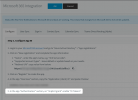
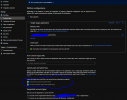
I've set up everything and from the backend of 3CX when integrating Office 365 with Azure AD. I get status OK in 3CX admin console. I've enabled users to be able to log into the admin console with their Office 365 emails. When I try to test by clicking the Microsoft button on the login screen, I can get through the entire login process but it just returns me to the 3CX login screen. I've tried clearing browser history, and used another browser. I don't know why it won't take me to the dashboard.
I've set up everything and from the backend of 3CX when integrating Office 365 with Azure AD. I get status OK in 3CX admin console. I've enabled users to be able to log into the admin console with their Office 365 emails. When I try to test by clicking the Microsoft button on the login screen, I can get through the entire login process but it just returns me to the 3CX login screen. I've tried clearing browser history, and used another browser. I don't know why it won't take me to the dashboard.